text to speech tutorials
9 Best Speechify Alternatives in 2026 (Free and Paid)
Speechify is built for listening: you paste or upload text and it reads it to you. If you want the opposite, your own website reading itself to visitors, or a studio voice for videos, a different tool fits better. Below are 9 Speechify alternatives for 2026, grouped by what you need: a text-to-speech widget for your site, an AI voice studio, a developer API or a reading app.
Prices checked on October 21, 2026, on each vendor’s own pricing page. Vendors change plans often, so confirm the current price before you buy.
The Short Answer
- To have your website read aloud to visitors: WebsiteVoice (or ResponsiveVoice if you are a developer who wants to code it yourself).
- For realistic voice-overs and voice cloning: ElevenLabs or Murf AI.
- To edit audio and video by editing text: Descript.
- For a reading app that works like Speechify: NaturalReader.
- For a developer API with a free monthly allowance: Google Cloud Text-to-Speech.
- For the lowest-cost voice files: VoiceMaker.
Speechify Alternatives Compared
| Tool | Best for | Free option | Paid plans from (Oct 21, 2026) |
|---|---|---|---|
| WebsiteVoice | Reading your website aloud to visitors | 14-day free trial, no credit card | $9/month |
| ElevenLabs | Realistic voice-overs and voice cloning | Free plan, 10,000 credits a month | $6/month |
| ResponsiveVoice | Developers adding speech with JavaScript | Free plan, 1 million characters a month, one site | $9/month |
| Murf AI | Studio voice-overs for marketing teams | Free plan, 10 minutes, no downloads | $19/month billed yearly ($29 monthly) |
| Descript | Editing audio and video by editing text | Free plan, 1 media hour a month | $16 per person/month billed yearly ($24 monthly) |
| NaturalReader | Listening to documents, like Speechify | Free plan with free voices | $119/year ($20.90 monthly) |
| VoiceMaker | Low-cost voice files in many languages | Free plan, 25,000 credits a month | $5/month |
| Google Cloud Text-to-Speech | Developers who need an API | Free monthly character allowance | Pay per character after the free allowance |
| Speechelo | One-off purchase for video voice-overs | None | $47 one-time (promotional price) |
Why People Look for a Speechify Alternative
Speechify is a good listening app. Its free plan reads text at up to 1.5x speed with 10 voices that Speechify itself describes as robotic sounding. Premium costs $29 a month, or $139 a year (about $11.58 a month), and adds 1,000+ natural voices, 60+ languages, 5x listening speed, scanning and AI summaries. Our Speechify pricing guide breaks the plans down in detail.
People usually switch for one of three reasons:
- They want their own website to talk. Speechify reads content for the person using the app. It does not put a listen button on your articles for your visitors.
- They need voice-overs, not a reader. Making narration for videos, ads or courses calls for a voice studio with editing controls and commercial rights.
- Price. If you only need a few features, a free plan or a cheaper tool can cover it.
Which Alternative Fits You?
| You want | Best fit from this list |
|---|---|
| Your website read aloud to visitors | WebsiteVoice, ResponsiveVoice |
| Studio-quality voice-overs | ElevenLabs, Murf AI |
| Edit audio and video by text | Descript |
| A reading app like Speechify | NaturalReader |
| A developer API | Google Cloud Text-to-Speech |
| Cheap voice files in many languages | VoiceMaker |
| A one-time payment instead of a subscription | Speechelo |
1. WebsiteVoice
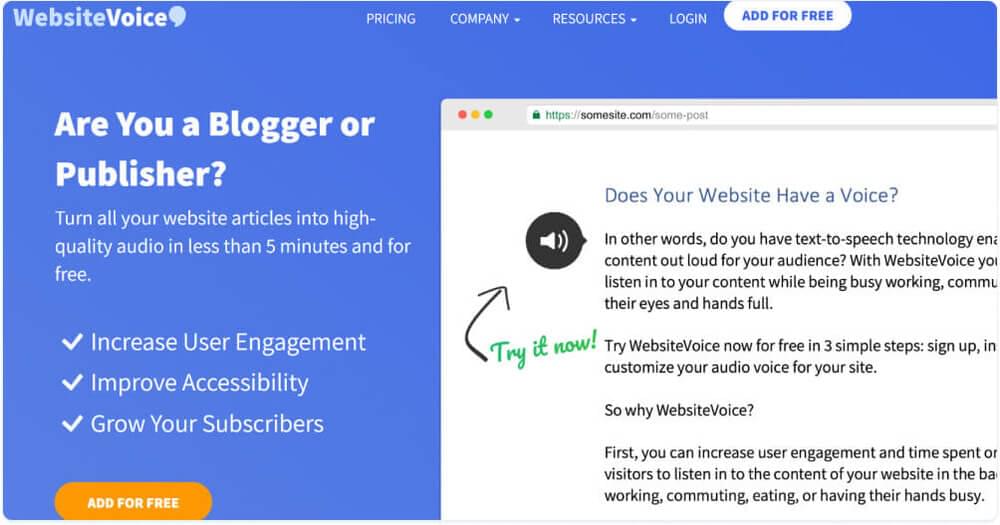
WebsiteVoice is a text-to-speech player for website owners, bloggers and publishers. Instead of reading text to you, it adds a play button to your pages so every visitor can listen to your articles in natural AI voices. That makes your content easier to consume on the go and more accessible to people who prefer or need audio. We make WebsiteVoice, so read this section with that in mind. We have kept it to what our features page and pricing section state.
Key Features
- One line of code: add a single script to your site, or use the WordPress plugin. It works with WordPress, Shopify, Wix, Squarespace, Blogger, Joomla, Webflow, HubSpot, Weebly and custom sites.
- Automatic Content Recognition: the widget finds the main article text on the page and reads it, so you do not have to mark up every post.
- 60+ AI voices in 38 languages and accents, including US and UK English, Spanish, French, German, Arabic, Hindi, Japanese and Korean.
- Listener speed control: visitors can slow the voice to 80% or speed it up to 170%.
- Custom player: change the button’s colour, style and size to match your theme.
- Custom intro and outro text that plays before and after the article.
- MP3 download so readers can save an article and listen offline.
- Social sharing button and a dashboard that shows how many times your audio was played.
Some features, such as MP3 download and speed control, depend on your plan; the trial lets you test them first.
Benefits for Your Website
- More ways to consume your content. Visitors can listen while commuting, working or doing chores, instead of leaving to read later.
- Accessibility support. Audio helps people with low vision, dyslexia and other reading difficulties. The W3C lists text-to-speech among the tools people use to browse the web. A listen button complements, but does not replace, a screen reader and an accessible page structure.
- No audio production work. You publish text as usual and the player creates the audio. There is nothing to record, edit or upload.
- Self-serve setup. Sign up, customise the player and paste the code. No sales call, no developer project.
- Try it before you pay. The 14-day free trial needs no credit card, and moving to a paid plan does not require reinstalling the widget.
Pros
- Built for websites, not for personal listening
- Quick install with a script or WordPress plugin
- Natural voices in 38 languages and accents
- Clear monthly pricing with no sales call
Cons
- You need admin access to your website to install it
- One account covers one website, so several sites need several accounts
- No voice cloning or voice-over studio; it is a website player
WebsiteVoice Pricing
Pricing as shown on websitevoice.com on October 21, 2026:
- Free trial: 14 days, no credit card required
- Starter: $9/month
- Premium: $29/month, or $309/year
- Professional: $49/month, or $529/year

2. ElevenLabs
ElevenLabs is one of the best known names in AI voice generation. It is known for very realistic voices, voice cloning and a large voice library, and it is aimed at content creators, game developers, media teams and developers who want premium voice quality.
Key Features
- Voice cloning: create a copy of a voice from audio samples
- Multilingual voices with natural accents
- One credit pool for text to speech, speech to text, dubbing, sound effects and music
- API for developers
Pros
- Premium voice quality and realism
- Strong voice cloning with many customization options
- Frequent updates and new models
Cons
- Gets expensive at higher usage
- Advanced features take time to learn
- Free plan is small (10,000 credits, about 10,000 characters of speech a month)
ElevenLabs Pricing
ElevenLabs bills in monthly credits. Text to speech uses about 1 credit per character. Plans on October 21, 2026:
- Free: $0, 10,000 credits a month
- Starter: $6/month, 30,000 credits
- Creator: $22/month (50% off the first month), 121,000 credits
- Pro: $99/month, 600,000 credits
- Scale: $299/month, 1,800,000 credits
- Business: $990/month, 6,000,000 credits
See our full ElevenLabs pricing guide for credits and API rates.
Also Read: ElevenLabs alternatives compared
3. ResponsiveVoice
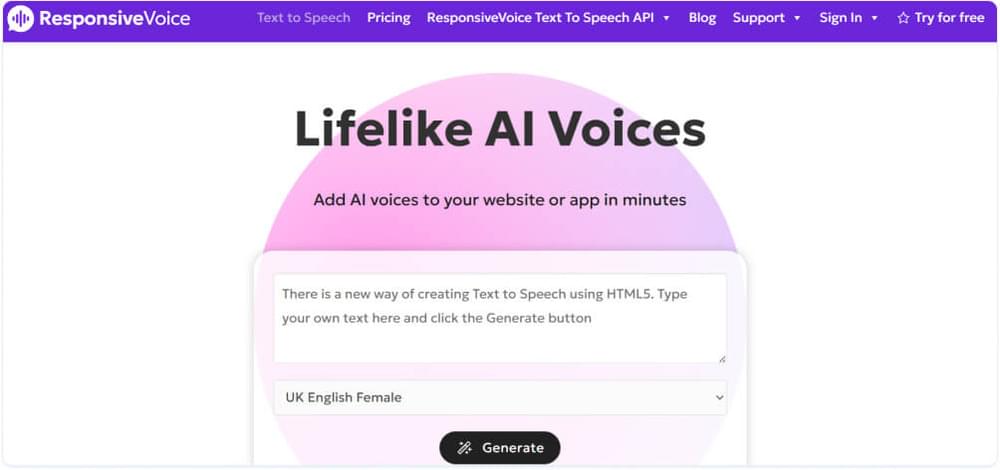
ResponsiveVoice is a developer-focused text-to-speech library. It uses HTML5 and JavaScript to speak text in the browser, and gives developers fine control over what is read and when. It also has a WordPress plugin.
Key Features
- JavaScript API for speaking any text on a page
- Selective reading with shortcodes to choose which sections are read
- Welcome and end-of-page messages you can customise
- Provider choice and bring-your-own-key on the Pro plan and above
Pros
- Free plan that includes commercial use
- Strong developer control
- Usage-based plans with clear character limits
Cons
- Needs technical knowledge to get the most from it
- Less friendly for non-developers
- Voice quality depends on the voice provider and the visitor’s browser
ResponsiveVoice Pricing
Monthly prices on October 21, 2026 (annual plans save about 20%):
- Free: $0, 1 million characters a month on one website, commercial use included
- Starter: $9/month, 5 million characters
- Pro: $49/month, 50 million characters
- Business: $149/month, 250 million characters
- Enterprise: custom, for OEM and redistribution
Paid plans can add usage at $5 per extra million characters.
Related: WebsiteVoice vs ResponsiveVoice: Which TTS Tool is Better?
4. Murf AI
Murf AI is an AI voice studio for professional voice-overs. It helps content creators and marketers produce narration for videos, presentations and ads without hiring voice actors. Its editing controls make it a strong alternative for people whose needs go beyond listening.
Key Features
- 200+ voices, styles and tonalities on paid plans
- Voice controls for speed and pitch, plus emphasis on the Business plan
- Canva integration on Creator, PowerPoint integration on Business
- Separate API and dubbing products with their own pricing
Pros
- Voices suitable for commercial projects on paid plans
- Easy studio interface with fine control
- Regular new voices and features
Cons
- The free plan has no downloads and no commercial rights
- Monthly billing costs noticeably more than yearly
- Takes some time to learn all the controls
Murf AI Pricing
Murf Studio plans on October 21, 2026:
- Free: $0, 10 minutes of voice generation, no downloads
- Creator: $19/month billed yearly ($228/year), or $29 month to month
- Business: $66/month billed yearly ($792/year), or $99 month to month
- Enterprise: custom pricing
If you want a simple text-to-speech player on your website without editing any audio, try WebsiteVoice free for 14 days.
5. Descript
Descript is an all-in-one audio and video editor. You edit recordings by editing the transcript, and it includes AI speech with stock voices and custom voice clones. It suits video creators and podcasters who need a full production tool rather than a simple reader.
Key Features
- Text-based editing of audio and video
- AI speech with stock voices and voice clones
- Transcription in 25 languages
- Screen recording and remote recording
Pros
- Edit audio and video as easily as a document
- Voice cloning and regenerated speech for fixing mistakes
- Free plan to try it
Cons
- Much more than you need if you only want text read aloud
- Plans are priced per person
- Many features to learn
Descript Pricing
Descript has a free plan and three paid plans, priced per person. Prices on October 21, 2026:
- Free: $0, 1 media hour a month
- Hobbyist: $16/month billed yearly, or $24 month to month
- Creator: $24/month billed yearly, or $35 month to month
- Business: $50/month billed yearly, or $65 month to month
- Enterprise: custom pricing
6. NaturalReader
NaturalReader is the closest alternative to Speechify itself. It is a reading app for students, professionals and people with dyslexia that reads documents, web pages and scanned text aloud on the web, desktop and mobile.
Key Features
- Reads many formats, including documents, web pages and ebooks
- OCR scanner for physical and image-based text on paid plans
- MP3 download on paid plans
- Apps for web, desktop, mobile and Chrome
Pros
- Free plan with unlimited listening on free voices
- Natural voices for study and reading support
- Yearly plans cost much less than monthly
Cons
- Free plan limits the better AI voices to 5 minutes a day
- Monthly billing is expensive compared with yearly
- Not built for adding audio to your own website
NaturalReader Pricing
Personal plans on October 21, 2026:
- Free: $0, unlimited listening with free voices
- Plus: $119/year (about $9.92 a month), or $20.90 month to month
- Pro: $159/year (about $13.25 a month), or $25.90 month to month
Separate commercial and education licences are sold on NaturalReader’s site.
7. VoiceMaker
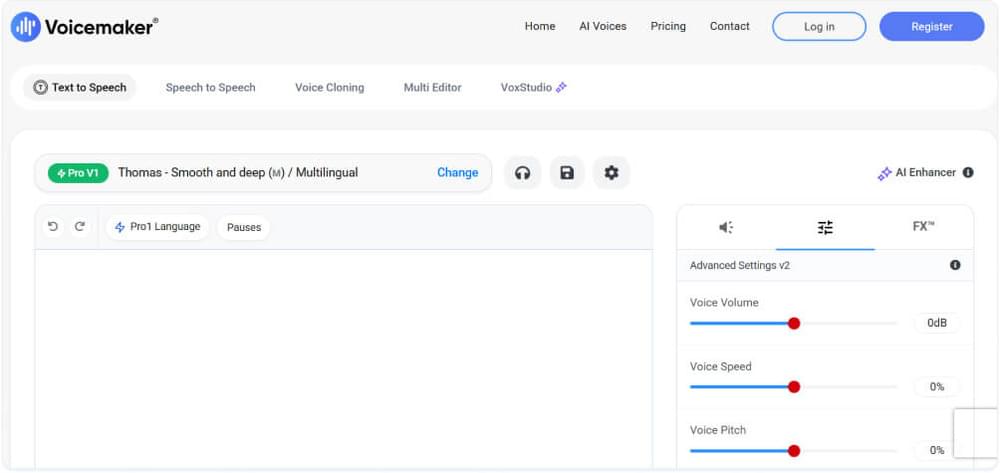
VoiceMaker is a simple online text-to-speech tool for turning text into downloadable voice files. It lists more than 1,000 AI voices and 140 languages, which makes it a low-cost option for multilingual voice files.
Key Features
- Large voice library across many languages
- Voice controls for volume, speed and pitch
- Several audio formats, including MP3 and WAV
- Developer API with pay-as-you-go pricing
Pros
- Very low entry price
- Simple interface for quick results
- Voice cloning on paid plans
Cons
- Credits run out fast with the more expressive voices, which cost 2 to 4 credits per character
- Short per-conversion limits on the lower plans
- Basic editing tools
VoiceMaker Pricing
Individual plans on October 21, 2026:
- Free: $0, 25,000 credits a month, 250 characters per conversion
- Starter: $5/month ($50/year), 200,000 credits a month
- Creator: $10/month ($100/year), 400,000 credits a month
- Pro: $24/month ($240/year), 1 million credits a month
8. Google Cloud Text-to-Speech
Google Cloud Text-to-Speech is an API for developers who want to build speech into their own apps, sites or products. It is not a ready-made player or app: you write the code that sends text and plays the audio. In return you get a large choice of voices and a generous free monthly allowance.
Key Features
- Several voice types, from Standard and WaveNet voices to higher-quality Neural2, Chirp 3 HD and Studio voices
- SSML support for control over pronunciation, pauses and emphasis
- Many languages and variants
- Client libraries for common programming languages
Pros
- Free monthly allowance on every voice type
- Pay only for what you use
- Backed by Google Cloud infrastructure
Cons
- Needs a developer; there is no player or app
- You must enable billing on a Google Cloud account, even for free usage
- Costs depend on the voice type and can be hard to estimate
Google Cloud Text-to-Speech Pricing
From Google’s pricing page on October 21, 2026, per month:
- Standard and WaveNet voices: first 4 million characters free, then $4 per million characters
- Neural2 voices: first 1 million characters free, then $16 per million characters
- Chirp 3 HD voices: first 1 million characters free, then $30 per million characters
- Studio voices: first 1 million characters free, then $160 per million characters
9. Speechelo
Speechelo is a desktop-style voice-over generator for video creators who want quick narration for marketing videos without a subscription.
Key Features
- Simple editor for fast voice-over generation
- Tone options such as normal, joyful and serious
- Breathing sounds and pauses to make speech sound more natural
- Audio tuned for video content
Pros
- One-time payment instead of a monthly fee
- Quick to learn
- Made for video voice-overs
Cons
- Smaller voice choice and fewer controls than modern AI voice studios
- Limited options to adjust pitch and speed
- Sold through a promotional sales page
Speechelo Pricing
On October 21, 2026, Speechelo’s site sells it for a one-time payment of $47, shown as a limited offer against a “normal price” of $97. The same page says that after the launch offer ends it will cost $100 one-time or $67 a month.
Also Read: Speechelo alternatives
Why Play.ht Is No Longer on This List
Earlier versions of this list included Play.ht. PlayAI, the company behind Play.ht, was acquired by Meta in July 2025, and its standalone text-to-speech service is no longer available to new customers. If you used Play.ht for voice-overs, ElevenLabs and Murf AI are the closest replacements on this list. For developer use, look at Google Cloud Text-to-Speech or ElevenLabs.
How to Choose a Speechify Alternative
Answer these questions in order and most of the list rules itself out:
- Who will listen? If it is you, choose a reading app such as NaturalReader. If it is your website’s visitors, choose a website player such as WebsiteVoice. If it is an audience watching a video, choose a voice studio such as ElevenLabs or Murf AI.
- Where does the audio need to live? A website player creates audio on your pages automatically. Voice studios give you files to download and place in videos, podcasts or courses. APIs return audio to your own code.
- Do you need commercial rights? Free plans often exclude commercial use or downloads. Murf’s free plan, for example, has neither. Check the licence before you publish.
- How is usage counted? Tools bill in different units: characters or credits (ElevenLabs, ResponsiveVoice, VoiceMaker, Google Cloud), minutes or media hours (Murf, Descript), new words played per day (WebsiteVoice) or a one-time licence (Speechelo). Estimate your monthly volume in that unit before comparing prices.
- Monthly or yearly? Murf, Descript and NaturalReader charge much less per month on yearly billing. Only commit to a year after testing on the free plan or trial.
- Can you install it yourself? A widget or plugin takes minutes. An API needs a developer and ongoing maintenance.
Then test your top two with your own text. Voice quality differs most on names, numbers and technical terms, so use real content, not a demo sentence.
Conclusion
There is a Speechify alternative for every use case. For voice cloning and studio voice-overs, ElevenLabs and Murf AI lead. For editing by text, Descript stands out. NaturalReader is the closest match for personal listening, and Google Cloud Text-to-Speech suits developers who want an API.
If your goal is to make your own website easier to consume and more accessible, WebsiteVoice adds a play button to every article so your visitors can listen to your content in realistic AI voices.
FAQs
How Much Is Speechify?
Speechify has a free plan and one paid plan. Premium costs $29 a month, or $139 a year (about $11.58 a month), as listed on Speechify’s pricing page on October 21, 2026. See our Speechify pricing guide for what each plan includes.
Is There a Free Speechify Alternative?
Yes. NaturalReader has a free plan with unlimited listening on its free voices, which is the closest free match for personal reading. ResponsiveVoice has a free plan for websites with 1 million characters a month and commercial use included. ElevenLabs, Murf AI, Descript and VoiceMaker also have free plans, but with tight limits on usage, downloads or commercial use. WebsiteVoice offers a 14-day free trial with no credit card.
Is There a Speechify Alternative for Websites?
Yes. WebsiteVoice adds a play button to every page of your website, so visitors can listen to your articles in 60+ AI voices in 38 languages and accents. It installs with one line of code or a WordPress plugin. Our list of the best text-to-speech widgets for websites compares more options.
Which Speechify Alternative Has the Most Realistic Voices?
ElevenLabs and Murf AI are the strongest for realistic, expressive voices and voice cloning. Voice quality is subjective and depends on the language, so test both with your own script.
What Happened to Play.ht?
PlayAI, the company behind Play.ht, was acquired by Meta in July 2025, and its standalone text-to-speech service is no longer available to new customers. ElevenLabs and Murf AI are the closest alternatives for voice-overs.
Is Text to Speech the Same as a Screen Reader?
No. A text-to-speech player or app reads content to anyone who presses play. A screen reader is assistive software that people install to navigate every page and app. Our guide to screen readers vs text to speech explains the difference.
Related Reading
Is Speechify Free? Speechify Pricing and Plans 2026
12 Best Apps That Will Read to You for Free (2026)
10 Best Text-to-Speech Widgets and Plugins for Websites (2026)



Improve accessibility and drive user engagement with WebsiteVoice text-to-speech tool