text to speech tutorials
Is Speechify Free? Speechify Pricing and Plans 2026
Yes, Speechify is free to use with a basic plan that gives you 10 robotic-sounding voices and listening speeds up to 1.5x. Speechify Premium, which unlocks 1,000+ natural voices, costs $29 per month or $139 per year (about $11.58 per month) when billed annually.
Prices last checked September 2026, taken from the official Speechify pricing page and the Speechify Help Center. Prices are in US dollars.
Speechify is a well-known text-to-speech app for listening to documents, web pages and books. It is built for personal productivity. If you want to add audio directly to your own website instead, an alternative like WebsiteVoice is designed for that job.

Overview of Speechify Cost and Pricing Plans
The Speechify reading app has a Free plan and one paid plan, Premium, which you can pay monthly or yearly:
| Plan | Price | Billing | Voices | Listening speed | Key features |
|---|---|---|---|---|---|
| Free | $0 | n/a | 10 robotic-sounding voices | Up to 1.5x | Text to speech only |
| Premium Monthly | $29/month | Monthly | 1,000+ natural voices, 60+ languages | Up to 5x | Scan & Listen, AI summaries and chat, voice typing, AI podcasts |
| Premium Yearly | $139/year (about $11.58/month) | Yearly | 1,000+ natural voices, 60+ languages | Up to 5x | Same as Premium Monthly |
The primary difference between the paid plans of Speechify is not feature availability. Both of these options have similar functionalities. The main difference is in payment frequency and the amount of money users can save via annual billing. Seasonal sales can cut costs further, as our list of Black Friday and Cyber Monday SaaS deals shows.
Paying yearly saves about 60% compared with 12 months at $29 ($348).
Speechify also sells two separate products with their own pricing: Speechify Studio (voiceovers and dubbing) and the Speechify API (for developers). We cover both below.
Speechify’s Free Plan
Is Speechify free? Yes. The Free plan costs nothing and gives you a basic introduction to text to speech, but it comes with clear limits.
Key Features
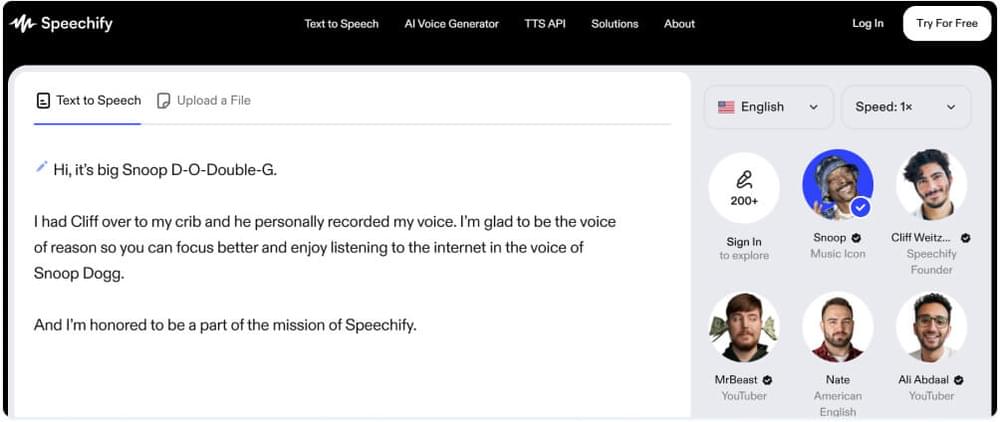
The Free plan lets you listen to text at speeds up to 1.5x and choose from 10 voices. You can listen anywhere Speechify runs, including its mobile apps, desktop apps and browser extensions. This is enough for basic needs such as reading documents aloud.
Key Limitations
Speechify itself describes the free voices as robotic sounding, which makes long listening sessions harder. The Free plan covers text-to-speech features only, so Scan & Listen, AI summaries and chat, voice typing and AI podcasts all require Premium. According to the Speechify Help Center, downloading audio as MP3 is also a Premium feature.
Need your website to read itself aloud?
Speechify reads text for you. If you run a blog or website and want visitors to listen to your articles, WebsiteVoice adds a play button to every page with one line of code. 38 languages, natural voices, works with WordPress.
Try WebsiteVoice free for 14 days (no credit card).
Looking for a free app to listen to text yourself? See our Speechify alternatives.
Premium Plans of Speechify
Both Premium options include the same features. Your choice comes down to budget and how long you plan to use Speechify.
1. Monthly Premium Plan of Speechify ($29/month)
The monthly plan gives you full Premium access without a long-term commitment. It includes 1,000+ natural voices in 60+ languages, listening speeds up to 5x, Scan & Listen, AI summaries and chat, integrations with Google Drive, Dropbox and Microsoft OneDrive, voice typing, AI podcasts and the Speechify Voice AI Assistant.
Websites that integrate WebsiteVoice can also provide the feature to download written content and blog posts in audio MP3 format.
2. Annual Premium ($139/year, about $11.58/month)
The annual plan has the same features as the monthly plan at a lower effective cost, but you pay for the full year up front. On the web it costs $139 per year. The Help Center lists $139.99 per year if you subscribe through the Apple App Store. The annual plan only makes sense if you are sure you will keep using Speechify. Otherwise, you can try an alternative like WebsiteVoice, which offers a 14-day free trial.
Speechify Studio and API Pricing
Speechify Studio and the Speechify API are separate subscriptions from the reading app.
Speechify Studio is for creating voiceovers and dubbing videos. Its pricing page shows:
- Free: $0, 600 Studio credits, no voice cloning and no commercial usage rights.
- Studio Starter: $100 per year, 86,400 Studio credits, voice cloning and commercial usage rights.
- Studio Creator: $300 per year, 345,600 Studio credits, plus everything in Studio Starter.
Speechify API is for developers who want to add Speechify voices to their own apps:
| API plan | Price | Characters included per month | Extra usage |
|---|---|---|---|
| Free | $0/month | 500,000 | Pauses until next month |
| Starter | $10/month | 1.9 million | $10 per 1M characters |
| Pro | $99/month | 13.5 million | $8 per 1M characters |
| Scale | $499/month | 78 million | $6 per 1M characters |
| Enterprise | Custom | Committed volume | Volume pricing |
The API Free plan includes commercial use, and voice cloning starts on the paid API plans.
Premium Features of Speechify
Most of what makes Speechify useful is behind the paywall. The natural-sounding voices, faster listening speeds and AI features all require Premium.
Premium also includes Scan & Listen for printed text, plus AI summaries and chat, cloud storage integrations and voice typing. If you only need basic read-aloud on a few documents, the Free plan may be enough. For anything more, you need to pay.
Advantages of Speechify
The key advantages of Speechify are:
- High-Quality Voices: Premium includes 1,000+ natural-sounding voices that make long listening sessions easier.
- Extensive Language Support: Premium covers 60+ languages, which helps with multilingual documents.
- Offline Listening: Premium users can download audio as MP3 files.
- Works Across Devices: Speechify runs on iPhone, iPad, Android, Mac, Windows, the web and as Chrome and Edge extensions.
Drawbacks of Speechify
Despite its strengths, Speechify has some drawbacks:
- High Monthly Price: Premium costs $29 per month on monthly billing, which is expensive compared with many competing TTS tools.
- Limited Free Plan: The Free plan is limited to 10 robotic-sounding voices and 1.5x speed. You cannot get the full experience without paying.
- Too Many Features for Beginners: If you only want basic text to speech, the AI assistant, podcasts and voice typing can make the app feel more complex than you need.
- Lack of Built-in Integration: Speechify cannot be embedded directly into a website like WebsiteVoice.
Speechify vs WebsiteVoice: Which TTS Tool is Better?
Speechify and WebsiteVoice are both text-to-speech tools, but they serve different purposes.
Speechify is a TTS tool for personal productivity and content consumption. It does not help website owners improve website accessibility or engagement on their own pages.
WebsiteVoice fills this gap by letting website owners and developers add the TTS functionality directly to the website. Visitors can then listen to the written content without copying and pasting it into another app.
You install WebsiteVoice by pasting one line of script into your site, or with the WordPress plugin, so your visitors can listen to pages, blog posts and articles without leaving the website.
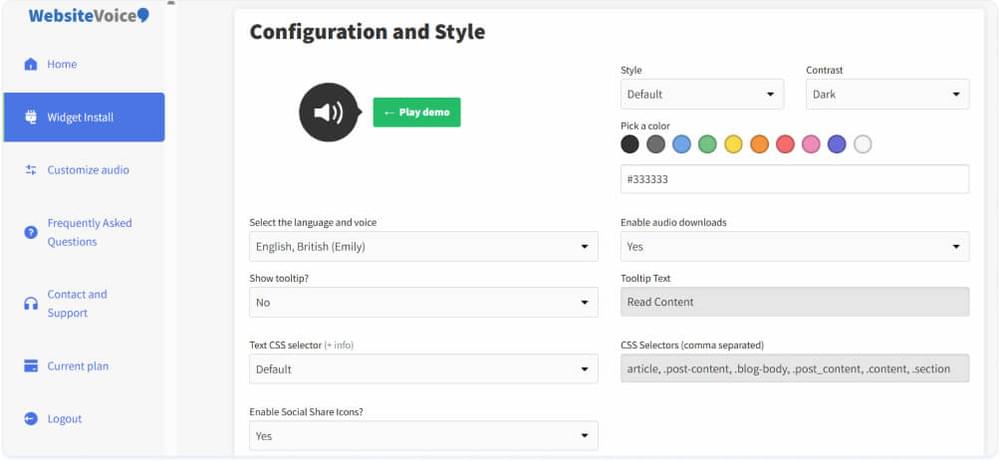
WebsiteVoice offers 60+ AI voices in 38 languages and accents, lets you customize the player widget, and includes audio analytics. You can try it with a 14-day free trial and no credit card required. For more options, see our list of the best text-to-speech widgets for websites.
Overall, WebsiteVoice is a better TTS solution for website owners because it adds audio to your own content without any technical skills.
Related: How to Add Text to Speech to WordPress with a Plugin?
Conclusion
Speechify is free to start, and Premium costs $29 per month or $139 per year. The free tier is limited to basic voices, so most users who rely on it daily end up paying. For reading documents on your own devices, it is a strong option.
If your goal is to let visitors listen to your website, WebsiteVoice is the better fit. Adding TTS functionality directly to your website can help you improve accessibility and engagement for your visitors.
FAQs
Is Speechify Free?
Yes. Speechify has a free plan with 10 robotic-sounding voices and listening speeds up to 1.5x. Natural voices, faster speeds and AI features require Premium.
How Much Does Speechify Cost?
Speechify Premium costs $29 per month on monthly billing, or $139 per year (about $11.58 per month) on annual billing. Speechify Studio and the Speechify API are priced separately.
Does Speechify Have a Free Trial?
Yes. The Speechify Help Center describes a free trial for Premium. If you cancel at least 24 hours before the trial ends, you will not be charged. If you do not cancel, the subscription starts automatically.
Is Speechify Premium Worth It?
It is worth it if you listen to documents, articles or books every day and want natural voices and faster speeds. If you only need basic read-aloud now and then, the Free plan may be enough.
How to Cancel Speechify?
How you cancel depends on how you paid. If you paid by credit card on the web, cancel in your Speechify account settings. If you used PayPal, cancel the Speechify agreement in your PayPal account. App Store and Google Play subscriptions are cancelled in those stores. Cancelling stops future renewals, and you keep Premium until the end of the billing period. If you want an alternative for your website, you can sign-up on WebsiteVoice for free.



Improve accessibility and drive user engagement with WebsiteVoice text-to-speech tool