text to speech tutorials
Text-to-Speech for Dyslexia: Best Tools and Apps for Easier Reading
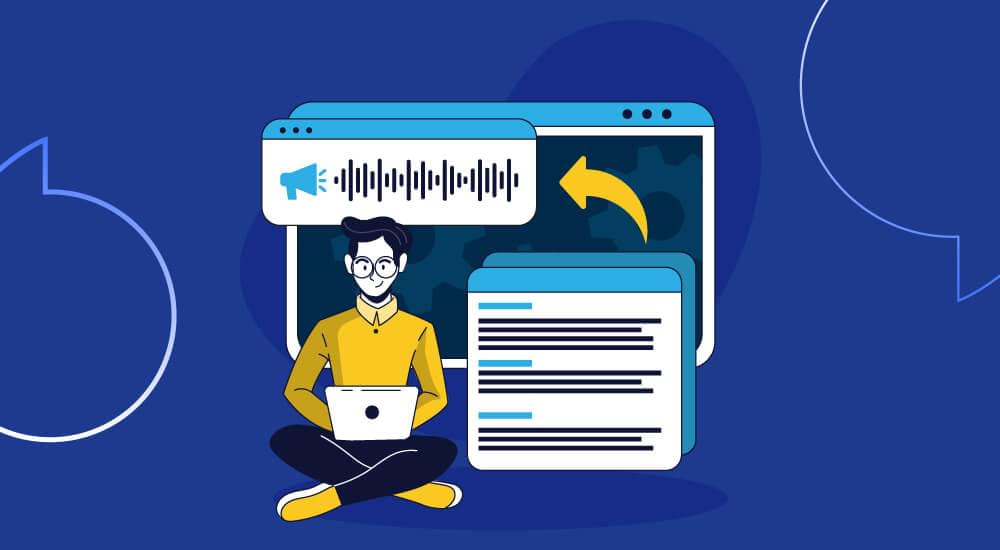
Reading with dyslexia takes a lot of effort. The mental energy it takes to decode each word is energy that should be used to understand the sentence, so a page that most people can get through in two minutes might take ten and still be away from you. Text to speech for dyslexia changes that equation by enabling the ears to take on some of the burden.
The good news is that there are more options than ever. Some are apps you put on your phone. Some are free and come with equipment you already have. And there is a category that is different from all others: tools that website owners put in place so that their visitors can listen without having to download anything at all.
This guide covers all three of them. We’ll cover why text-to-speech really helps dyslexic readers, what to look for in a choice, and the best dyslexia reading tools available right now, with honest pricing and limitations for each.
Do you have a website or a blog? There’s a section for you too, because supporting dyslexic visitors is one of the most overlooked ways to grow your audience.
How Text-to-Speech Helps People with Dyslexia
Dyslexia has nothing to do with intelligence or listening comprehension. It impacts decoding (mapping letters to sounds and blending them into words). Slow decoding is detrimental to everything downstream: comprehension, retention, and stamina.
Text-to-speech technology reads digital text aloud so that dyslexic readers can process information by listening and following along visually. This dual-mode reading approach reinforces comprehension through listening and visual tracking.
Most TTS tools highlight each word as it’s spoken, helping users stay focused and avoid losing their place.
The benefits aren’t limited to students. Dyslexic adults use text to speech at work every day to get through dense reports, long emails, and documentation. Anyone building a personal toolkit of assistive technology will usually put a TTS tool at the centre of it.
Related: How Text-to-Speech Technology Helps People with Disabilities
What to Look for in a Dyslexia Reading Tool
Not all text-to-speech tools are created equal when it comes to dyslexia. Before you start comparing individual products, you should know what features are actually important.
- Natural sounding voices. Robotic voices add to reading fatigue and the fatigue of listening. Dyslexic users consistently report that voice quality is the biggest single factor in sticking with a tool.
- Adjustable reading speed. People process audio at different rates. A good tool allows you to slow down for dense material and speed up for familiar content.
- Word synchronised highlighting. This prevents line-skipping as discussed above and keeps your eyes tracking with the audio.
- Works with what you actually read. A tool that only reads PDFs won’t help you with web articles and vice versa. Check that it covers the formats you use daily.
- Honest pricing. Some apps for dyslexia charge steep annual subscriptions, others are one-time purchases, and several strong options are completely free. Know which model you’re signing up for before you commit.
If you’re evaluating options for a child, our guide to apps for kids with reading issues covers age-appropriate picks in more depth. This article focuses on tools for teens, adults, and the websites they read.
Best Text-to-Speech Tools and Apps for Dyslexia
Here are the standout dyslexia reading tools in 2026, starting with the one option built for website owners rather than end users, including the best personal reading apps.
1. WebsiteVoice (Best for Website Owners and Bloggers)
WebsiteVoice is a text-to-speech widget that website owners install on their sites so visitors can listen instantly without downloading anything, unlike personal reading apps.
That distinction does a real job. The majority of dyslexia tools require the reader to seek out an app, purchase it, learn how to use it, and then use it on every site they visit. WebsiteVoice reverses that responsibility. Add it to your blog or website and immediately eliminate a barrier for every dyslexic visitor, and for anyone who simply prefers to listen.
WebsiteVoice has 60+ AI voices in 35+ languages, adjustable speed, a customisable player, MP3 downloads, audio analytics and WordPress support.
Pricing: Free trial for 14 days with no credit card required and paid plans based on usage try WebsiteVoice free on your own website today.
Limitations: Only works on sites where the owner has installed it. If you are a dyslexic reader searching for a personal reading app for PDFs and ebooks, one of the tools below will serve you better.
2. Speechify (Best All-Around Personal Reading App)
There is a reason that Speechify is the most popular consumer text-to-speech app. It can read documents, PDFs, web pages, and even photos of printed text, with word-by-word highlighting and playback on phone, browser, and desktop. Its founder is dyslexic, and it shows in the product itself. The reading experience is polished and really designed around dyslexic needs.
Pricing: Free version with one basic voice. The most common complaint in dyslexia communities is the cost of Premium, which runs roughly $139 per year. The subscription cost is real, so make sure to use the trial in depth before you commit.
Limitations: Limited free tier. Frustration among some users over constant upselling. If subscriptions are not for you, check out Voice Dream Reader below. More options can be found in our roundup of Speechify alternatives.
3. NaturalReader (Best Free Tier for Documents)
NaturalReader has been listed on university dyslexia resource pages for years. It also exports audio files for offline listening and converts PDFs, web pages and ebooks into speech on Mac, Windows and mobile.
Pricing: The free tier offers a good number of voices, which is far more generous than much of the competition. Premium plans start at around $9.99 a month for higher quality voices.
Limitations: The interface is dated compared to newer apps and the best voices are behind a paywall.
4. Voice Dream Reader (Best One-Time Purchase)
Dyslexia communities tell anyone who is tired of subscriptions to buy Voice Dream Reader.
- Good text highlighting.
- Fine-grained speed and pronunciation controls.
- Good support for ebooks and documents including offline reading.
Pricing: Usually a one-off $15 to $20 purchase on iOS, which is a fraction of what subscription apps cost in a year. Pricing models shift. See current listing.
Limitations: Best for Apple devices, and the design is more function than form.
5. Microsoft Immersive Reader (Best Free Option for Students)
Immersive Reader is available at no cost in Word, OneNote, Outlook, Microsoft Edge, and many school platforms.
It’s a mix of:
- Read-aloud
- Line focus
- Adjustable text spacing
- Syllable breakdown
- Picture dictionaries
These features are built to help struggling readers.
Pricing: Free where Microsoft products are used.
Limitations: Works only within Microsoft’s ecosystem. You can’t point it at any random app or document outside of it.
6. Read&Write by Texthelp (Best Full Literacy Suite)
Read&Write is more than text-to-speech. It includes a full literacy toolbar featuring:
- Read aloud
- Word prediction
- Phonetic spell check
- Dictionary support
- Screenshot reading
It’s a routine formal accommodation for dyslexia in schools and workplaces.
Pricing: Free for teachers; individual and institutional subscriptions available, usually over $100 per year.
Limitations: A tool for more than most individual readers need, and its price reflects its institutional orientation.
7. Free and Built-In Options You Already Own
See what’s already on your devices before paying for anything. These built-in reading tools for dyslexia are free:
- Microsoft Edge Read Aloud reads any web page or PDF with surprisingly natural voices.
- iOS Spoken Content (Settings → Accessibility) reads selected text or the entire screen.
- Android Select to Speak does the same on Android devices.
- Read Aloud browser extension is a free, open-source option for Chrome and Firefox.
These options lack the polish and highlighting quality of dedicated apps, but they’re a zero-risk starting point. Many dyslexic readers use a free built-in tool for casual browsing and a paid app for serious reading.
Quick Comparison
| Tool | Best For | Free Plan | Pricing Model |
|---|---|---|---|
| WebsiteVoice | Website Owners and Bloggers | 14-day free trial, no credit card needed | Subscription for the whole site (all visitors) |
| Speechify | On-device personal reading | Free tier is limited | Subscribe (~$139/yr) |
| NaturalReader | Free document reading | Generous free level | Freemium |
| Voice Dream Reader | No subscriptions | None | One-time payment |
| Immersive Reader | Microsoft tools for students | Free | Free |
| Read&Write | Full literacy support | Trial only | Subscription |
| OS built-in tools | Starting point | Absolutely free | Free |
For Website Owners: Make Your Content Dyslexia-Friendly
Most articles miss this point though: most tools expect dyslexic readers to solve the problem themselves, but as a website owner or blogger, you can solve it for them.
Between 10 and 15 percent of people show signs of dyslexia. If your blog gets 10,000 monthly visitors, then you have more than a thousand people who may have a problem with your content. Most won’t install an app to read your site—they’ll just leave.
A text-to-speech play button gets around that obstacle. Visitors then read along and listen at their own pace. It helps dyslexic readers, people with vision impairments, visitors reading in a second language and anyone who prefers to listen while commuting or multitasking. Tools like automatic text reading make your content more available to everyone.
Audio is also helpful for accessibility.TTS alone does not make a site compliant but is a meaningful step toward an accessible website and complements the work of making your website ADA compliant.
Audio pairs well with some quick wins:
- Enhance your text layout. Short paragraphs, generous line spacing and clear fonts ease visual stress. Our content readability guide covers the details.
- Add a listen button. WebsiteVoice works by simply pasting a small snippet or installing the WordPress plugin, selecting a voice—and you’ve got a play button on your pages in minutes. You can add TTS to your website free for 14 days, no credit card required.
- Look at your analytics. WebsiteVoice’s built-in audio analytics let you see which articles people listen to and for how long, so you can see the feature earning its keep.
Here’s the key difference worth repeating:
- Speechify, NaturalReader and Voice Dream are tools that dyslexic readers buy for themselves.
- WebsiteVoice is the tool you install for your client to support dyslexic people as well as any user who wants to enjoy easier web browsing experience with a text to speech play button.
Other Dyslexia Reading Tools Worth Knowing
Most dyslexia toolkits depend on text-to-speech, but it works even better with these other dyslexia tools:
- Dyslexia-friendly fonts. OpenDyslexic, Lexend and Dyslexie reduce letter confusion by using weighted letter shapes and wider spacing. Reading speed evidence is mixed, but many readers find them more comfortable and they are free to experiment.
- Speech to text for the dyslexic. Tools like Dragon and the dictation built into phones and computers take care of the writing side, so you can speak your essays and emails instead of typing them. The combination of reading and writing supports makes a complete toolkit.
- Audiobook services. TTS audiobooks can extend listening to almost any text, and Learning Ally and Bookshare have human-narrated books for people with reading differences.
- Reading rulers and overlays. Physical or digital line guides that isolate one line of text at a time, reducing visual crowding on the page.
- General reading apps. Besides tools specifically designed to help with dyslexia, many apps that read to you are good for listening to articles and books.
If you’re new to the technology itself, our explainer on what TTS is and how it works is a good place to start.
Conclusion
Text to speech for dyslexia is a useful reading strategy where you listen and visually track to boost comprehension. It depends on what you need: Voice Dream Reader or free options built into your device for reading without a subscription. Speechify if you want a polished experience that works across devices. Immersive Reader if you are a student and use Microsoft tools. If you publish content, adding a listen button makes it easy for every dyslexic visitor to access your website, with just a few minutes of setup.
Start your free trial of WebsiteVoice and make your website one that everyone can read, in every sense.
FAQs
Can Dyslexia Benefit from Text-to-Speech?
Yes. Text-to-speech removes some of the decoding burden that makes reading difficult for people with dyslexia. Listening to audio while reading text is a feature that helps readers understand and remember what they read. It is assistive technology for dyslexia.
What is the Best Free Text to Speech Tool for Dyslexia?
Microsoft Immersive Reader is the best free option. Microsoft Edge’s Read Aloud, iOS VoiceOver, and Android Select to Speak are also free. You can also try WebsiteVoice free for 14 days.
Is Speechify Beneficial for Dyslexics?
Speechify has natural voices and highlights words, but Premium is over $100 a year. Popular alternatives include Voice Dream Reader and NaturalReader.
Do Dyslexia-Friendly Fonts Really Work?
OpenDyslexic and Lexend are more comfortable for many readers. They are best used in conjunction with text-to-speech, not as a replacement.
How do I add text to speech to my website for dyslexic visitors?
Unlike reading apps for dyslexia, WebsiteVoice provides instant listening with 60+ voices in 35+ languages using a code snippet or a WordPress plugin.


Improve accessibility and drive user engagement with WebsiteVoice text-to-speech tool