text to speech tutorials
WCAG and Text to Speech: What the Guidelines Actually Require
If you’ve been searching for WCAG text to speech requirements, you are likely wondering whether adding a text-to-speech feature will make your website compliant. That’s a fair question and most articles on this topic give you a vague answer because they are trying to sell you something.
Here’s the truth, the honest truth: WCAG does not require you to add speech to text to your website. But there is a big caveat to that answer. Text to speech directly benefits many of the people WCAG was written to protect and it can bolster your accessibility efforts in ways the guidelines never expected.
In this guide, you’ll learn what WCAG really says about audio and speech, where text to speech fits into text to speech accessibility efforts, and how to add a TTS feature without accidentally creating new compliance problems.
What Is WCAG? A Quick Refresher
The international technical standard for making web content accessible to people with disabilities is the Web Content Accessibility Guidelines (WCAG). They are published by the W3C, and built around four principles: content must be perceivable, operable, understandable and robust enough to work with assistive technologies.
WCAG defines three levels of WCAG compliance:
- Level A covers the most basic accessibility requirements. Otherwise, some users can’t access your content at all.
- Level AA is the standard most laws and lawsuits refer to. The practical goal for most websites is WCAG AA compliance.
- Level AAA is the highest level and even the W3C concedes that full AAA conformance is not achievable for all content.
Before we go further, one important distinction: WCAG is not a legal requirement, it is a technical standard. It is referenced in laws such as the ADA. For more on the legal aspect of this, check out our guide making your website ADA compliant. This article continues to focus on what the standard itself says.
Worth knowing: The European Accessibility Act has made WCAG-level accessibility legally binding since June 2025 for many businesses selling to EU customers, so the standard now carries legal weight well beyond the United States.
Does WCAG Require Text to Speech? (The Honest Answer)
No. WCAG 2.1 and 2.2 do not have a success criterion that says “provide a text-to-speech feature.”
In fact, WCAG requires that your content work with the assistive technology that users bring with them. This means clean HTML structure, proper headings, alt text, correct language attributes, and keyboard access so that your pages can be interpreted properly by a screen reader.
So why do we still see a lot of text to speech for WCAG? There is a large group of users who benefit from hearing content, but do not use screen readers:
- People with dyslexia and reading disabilities who can read visually but who process information better through audio. You can find out all about this in our article on text to speech for dyslexia.
- People with low vision who don’t want a full screen reader but who get tired reading long things. Examples include Students with vision impairments.
- Older visitors who experience age-related vision or cognitive decline.
- People with low literacy or reading in a second language.
Screen readers need to be trained and set up. Most people in the above groups have neither. No software needed, they are served instantly. A visible play button on your page. That’s where website text to speech comes in.
It’s not a compliance checkbox. It’s an accessibility feature for the millions of users who aren’t “no assistance needed” but also aren’t “full screen reader users.”
Screen Readers vs. Text to Speech Under WCAG
These two technologies are often confused, and the difference matters for compliance.
| Screen Reader | Text-to-Speech | |
|---|---|---|
| who is giving it | User (JAWS, NVDA, VoiceOver) | The owner of the site |
| Who’s using it | (seriously) blind and visually impaired users | Users with dyslexia Low vision Multitasking Second-language users |
| What it says | All menus, buttons, forms, structure | Main page content in audio |
| What WCAG has to say | Your site has to work with it. | Upgrade option |
The left column is your WCAG duty. A TTS widget will never replace screen reader compatibility and any vendor claiming it does are lying to you. The right column is the baseline. For a full breakdown check out our comparison of screen readers and text to speech.
The WCAG Success Criteria That Touch Audio and Speech
WCAG doesn’t require TTS, but there are several success criteria that directly impact how audio and speech should behave on your site.
If you’re looking at adding a TTS tool, these are the ones to know.
1.4.2 Audio Control (Level A)
Audio that auto-plays for more than 3 seconds must have controls to stop or pause it, or to control its volume independently.
This is why a well-built TTS player should never auto-play. Playback should begin only at the visitor’s request.
3.1.1 Language of Page (Level A)
Each page needs a correct lang attribute. This tells screen readers and TTS engines which pronunciation rules to apply.
A French page labelled as English is read in a garbled accent that’s harder to understand than silence.
This criterion is the basis for the correct operation of tools with multilingual voice support when publishing in several languages.
1.1.1 Text Alternatives (Level A)
The first criterion in WCAG sets the basic principle that content must be perceivable in more than one way.
It is written about providing text alternatives for images and audio, but the same logic applies in reverse.
You are voluntarily extending that principle by providing an audio version of your text.
2.1.1 Keyboard (Level A)
All interactive elements on your page should be accessible with the keyboard.
That applies to any TTS play button you add.
If a visitor cannot tab and press enter to operate your audio player, then the widget itself does not pass WCAG.
Is Your Text-to-Speech Widget Itself WCAG Compliant?
And one angle that is almost never discussed: a badly built TTS widget can cause accessibility failures on an otherwise compliant page.
Before you add any text to speech accessibility tool to your website, check these five things:
- Access Keyboard. Can you tab to the play button and press enter to start playing? (Criterion 2.1.1)
- No autoplay. Audio should only play on user action. (Criterion 1.4.2)
- Focus state visibility. Is there some visual indicator that the button has keyboard focus? (Criterion 2.4.7)
- Sufficient contrast. Does the player button and its background have a contrast ratio of 3:1 as required by interface components? (Criterion 1.4.11)
- Playback control. Can the user stop, restart and change speed?
This is where customization comes in.
With WebsiteVoice you can customize the player’s colours and placement so your button is always visible against your design, playback is always user-initiated and listeners can control speed with the built-in speed settings.
You’re implementing an accessibility feature, which means it should be as strong as the rest of your site.
How to Add Accessible Text to Speech to Your Website
But adding TTS the right way only takes a few minutes, not a development sprint.
Step 1: Choose a Tool That Passes the Checklist Above
Look for a player that has user-initiated playback, keyboard controls and a customizable player.
If you want to give it a whirl, you can try WebsiteVoice free for 14 days, and no credit card is needed.
Step 2: Install It on Your Platform
Most tools will have a small snippet of code or plugin to install.
WordPress users can use the dedicated WordPress text-to-speech plugin, and the same method works on Shopify, Wix, Squarespace and other platforms.
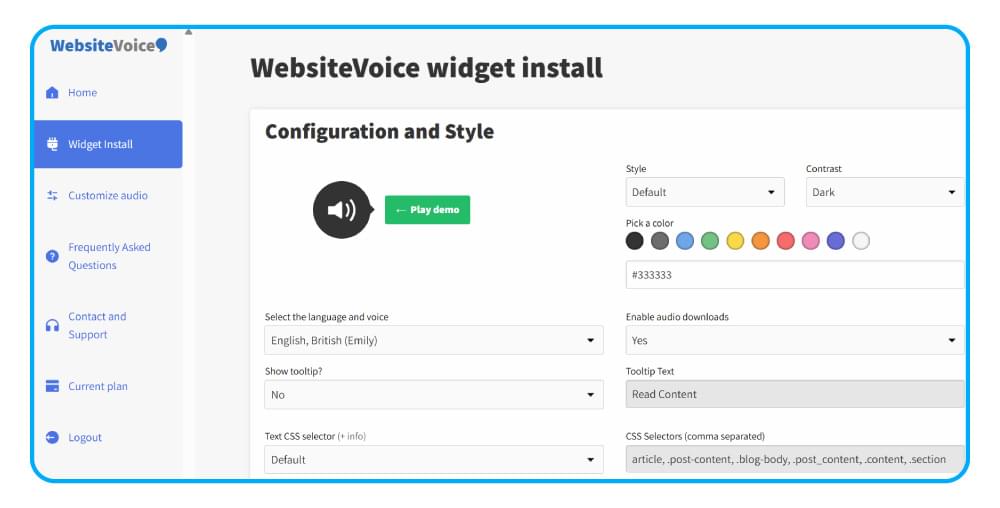
Step 3: Customize the Player for Visibility
Choose button colours that contrast with your background and place them where visitors can see them, usually near the top of your articles.
Step 4: Test With Your Keyboard Only
Disconnect your mouse and try to find, activate and pause the player using only Tab, Enter and arrow keys.
If you can’t, shift the placement or reach out to support before going live.
Beyond Compliance: Why TTS Is Worth Adding Anyway
Compliance is the minimum, not the maximum.
Text-to-speech is not required by WCAG, but it has its place on your site for practical reasons.
Visitors who listen tend to stay longer because audio allows them to consume content on the commute or while multitasking.
Single widget also supports international readers in their own language with 60+ AI voices in 35+ languages.
And for the ageing population, audio takes the strain out of long reading sessions.
We discuss these results in detail in our guide to the benefits of text to speech for websites, and the ways TTS improves everyday life.
In short, make it WCAG compliance with a good structure and screen reader compatibility, then add text to speech to reach the much larger group of visitors that the guidelines don’t reach. Our how to make your website accessible guide will walk you through the basics.
Okay, now let’s add that audio layer. Add a play button to your website and begin your free trial today.
Frequently Asked Questions
Is WCAG a Legal Requirement?
WCAG is a technical standard. Not a law.
But laws around the world make it a legally binding practice.
In the U.S., courts regularly refer to WCAG 2.1 AA in ADA cases, and the European Accessibility Act mandates WCAG-level accessibility for many businesses serving EU customers.
Can Text to Speech Make My Website WCAG Compliant?
No.
WCAG compliance is in your site’s structure (headings, alt text, keyboard access, contrast and screen reader accessibility).
Beyond that foundation, Text-to-speech is a nice addition, not a replacement.
Can a Text to Speech Widget Lead to WCAG Failures?
Yes, if it’s poorly done.
A widget that autoplays audio, is not keyboard reachable, or uses a low-contrast button introduces new violations.
Any accessibility tool you use should be tested using the same criteria you use on the rest of your site.
Are Accessibility Overlay Widgets WCAG Compliant?
No.
Overlay tools that claim to be one-line fixes have come under heavy fire from the accessibility community and sites that use them have still been sued.
A TTS widget is different: it does not promise to fix your site’s code.
It adds one specific, really useful feature.
True compliance still requires accessible design at the bottom.
Does WCAG apply to mobile apps?
Although WCAG was created for web content, its principles can be applied to mobile apps and WCAG2ICT provides official guidance on how to apply the criteria to non-web software.
Many accessibility laws require mobile apps to meet equivalent standards.



Improve accessibility and drive user engagement with WebsiteVoice text-to-speech tool