accessibility tutorials
What Is ADA Website Compliance? A Complete Guide
Let’s explore what ADA website compliance exactly is and what practical steps you can take to make your site accessible with complete compliance.
What Is ADA Website Compliance?
ADA website compliance means your website is designed and built in a way that is acceptable to people with disabilities. It ensures the websites are accessible and understandable by a diverse group of people to ensure it works equally for everyone.
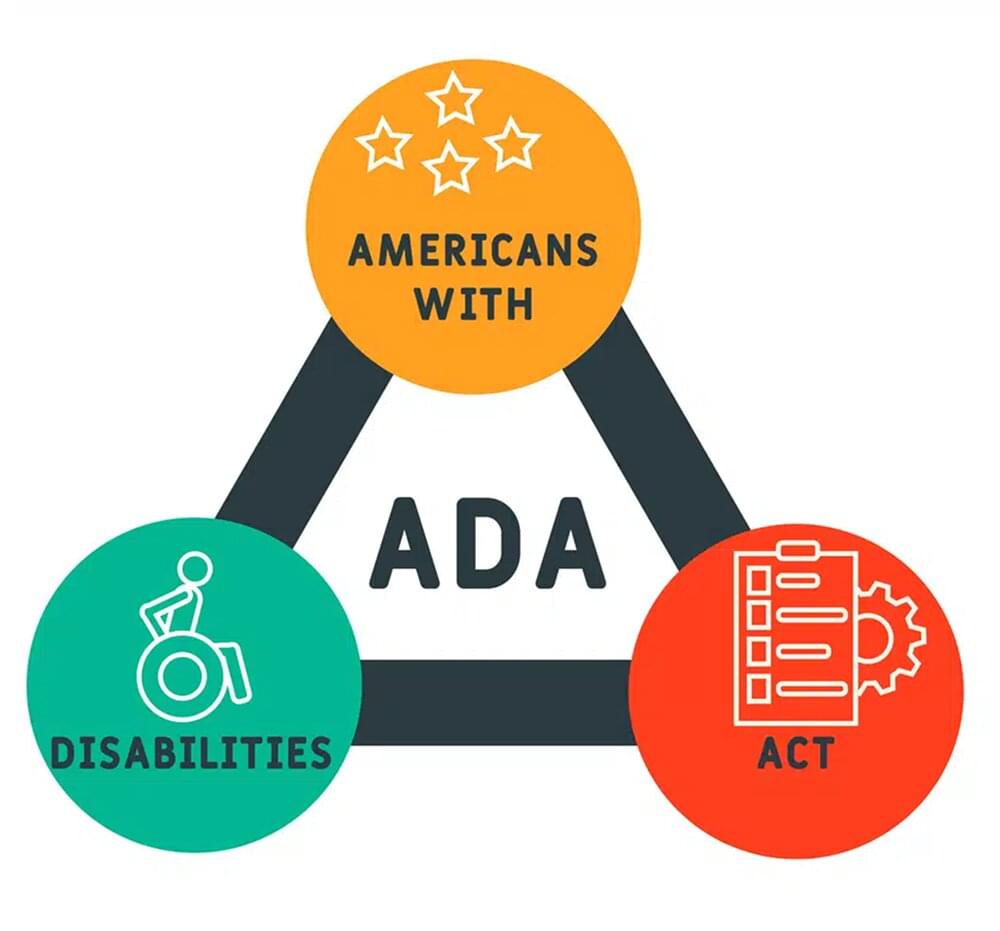
ADA compliance is a digital extension of the Americans with Disabilities Act, which is a 1990 civil rights law that prohibits discrimination against people with disabilities in places of public accommodation.
Generally, the term “public accommodation” was limited to physical spaces, restaurants, hotels, stores, and banks. However, over the course of the last 20 years, federal courts have repeatedly ruled that websites count too in this term, especially when a site is related to a business that serves the public.
If you look closely at the practical implications of ADA website compliance, it has a very simple and noble goal, which is making sure your site is working for people who:
- Have vision-related issues
- Use screen readers
- Are deaf or hard of hearing
- Have motor disabilities
- Have cognitive disabilities like dyslexia or ADHD
- Have temporary impairments like a noisy environment
Why ADA Website Compliance Matters Right Now?
There’s no doubt that making your website ADA-compliant is simply the right thing to do. However, if you are still not sure about it, you should also consider these facts:
- A total of 3,948 ADA website lawsuits were filed in U.S. federal courts in 2025. This number is up about 24% from 2024. It means the number of lawsuits related to ADA website compliance is climbing fast.
- Small businesses are at the highest risk of being sued because plaintiffs are increasingly targeting small and mid-market companies.
- According to the CDC, about 1 in 4 U.S. adults has some form of disability. So, without ADA compliance, you are at risk of losing out on a huge audience.
- Since 2024, the U.S. Department of Justice has adopted WCAG 2.1 Level AA as the technical standard for state and local government websites. This rule is also applicable to private business lawsuits, so you should ensure ADA website compliance because it is a federal regulation in the US and provides a reliable blueprint for higher accessibility in sites from other countries.

What Standard Defines ADA Compliance? (WCAG 2.1 AA)
The ADA itself doesn’t contain comprehensive technical requirements like “your button needs a 4.5:1 contrast ratio.” You have to consult the Web Content Accessibility Guidelines (WCAG) for such details. Our guide to WCAG and text to speech explains how audio support fits these guidelines.
WCAG is published by the World Wide Web Consortium (W3C), which is the international body that sets web standards. It has three different levels:
- Level A: The most basic level (30 success criteria in WCAG 2.1).
- Level AA: This is the ideal spot for legal compliance expected by regulators and courts.
- Level AAA: This is the gold standard of ADA compliance. However, it is often impractical to implement for larger websites.
The Four POUR Principles of Web Accessibility
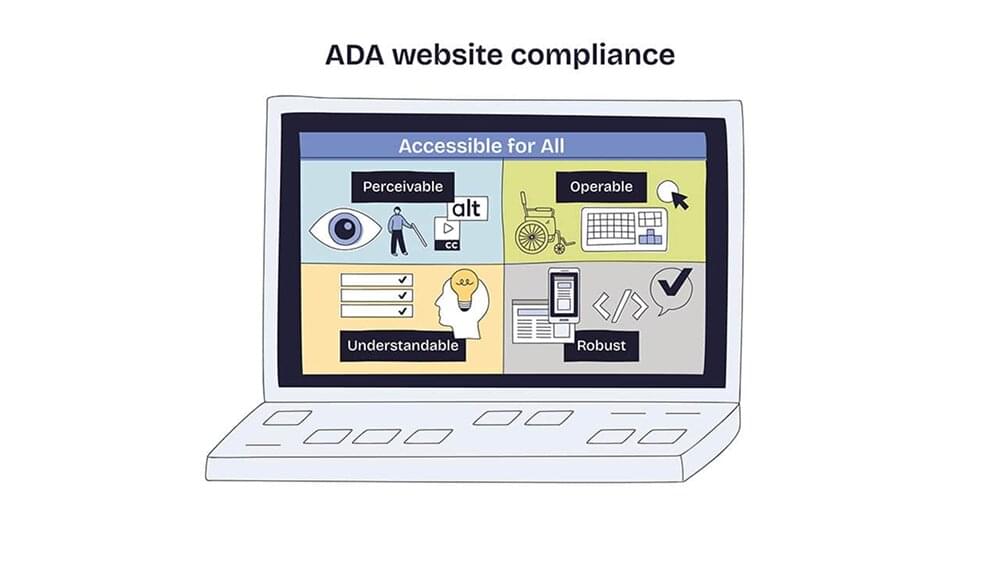
The four main principles of web accessibility are categorized by WCAG as POUR:
1. Perceivable
Users must be able to perceive the information on your site through at least one of their senses. Practically, this means:
- Alt text on every image so screen readers can describe them
- Captions for video and audio content
- Sufficient color contrast (4.5:1 for normal text, 3:1 for large text)
- Text that can be resized up to 200% without disrupting the layout
2. Operable
Even if a user does not have a mouse, they should be able to operate every interactive element on the website. This includes full keyboard navigation, no keyboard traps, time limits between tasks, no flashing content, and multiple ways to access the content.
3. Understandable
The content and the interface of the site should also be clear and understandable to new as well as old users. Practically, this includes:
- Clear and plain-language writing
- A defined language for each page
- Predictable navigation
- Form fields with clear labels
- Instructions to facilitate new users
4. Robust
The site must work with a wide range of browsers, devices, and assistive technologies. This is possible by using clean and valid HTML. Moreover, compatibility with screen readers like JAWS, NVDA, and VoiceOver should be ensured. Mobile-friendly responsive design is a must in 2026.
Overall, the POUR principles are the core of any ADA compliance, so if you ever think that your website is not in full compliance, you should come back to the WCAG documentation and ensure compliance.
The Role of Text-to-Speech in Web Accessibility
Now that you know all about ADA website compliance, you are probably thinking, where does text-to-speech (TTS) and WebsiteVoice specifically fit into all of this.
First of all, let’s establish the fact that TTS is not a substitute for ADA compliance. Instead, adding a play button to your website is an important accessibility enhancement and a vital step towards compliance.
In fact, an audio play button goes a few steps ahead and even helps those audiences that your WCAG audit might overlook:
- People with dyslexia and reading disabilities
- People with low vision
- Older users and people with ADHD or processing differences
- Anyone who’s multitasking
Making your website accessible to these users is possible with WebsiteVoice as it allows you to add a customizable play button to your site. Hence, you’ll be able to convert your written content into natural-sounding audio in 35+ languages and 60+ voices.
The best part is that WebsiteVoice works perfectly with WordPress, Shopify, Wix, Squarespace, Blogger, Joomla, Webflow, Drupal, Ghost, and custom HTML sites.
Overall, a TTS play button is the kind of inclusive feature that can take your website to the next level of accessibility and reach.
Also Read: Text-to-Speech for Dyslexia and Reading Disabilities
Conclusion
ADA website compliance is not just a checkbox you tick once. It is an ongoing process that requires discipline and a genuine commitment to make sure you are not just complying with legal rules and regulations, but also making your website accessible to people with disabilities.
The overall framework is clear and easy to understand. It revolves around the WCAG 2.1 Level AA, which has four POUR principles. You have to apply them to every page and feature on your site to ensure optimum compliance.
You can also go one step further and start offering an audio version with a TTS play button widget. You can try WebsiteVoice free for 14 days and see how a play button on your site can help you boost your site’s accessibility.
Frequently Asked Questions
Is the ADA actually enforced for websites?
Yes. US Federal Courts and the DOJ enforce the ADA on all websites. If a site does not comply with ADA regulations, it is at risk of getting fined and facing significant penalties, as proven by 3900+ ADA-related cases filed in 2025 alone.
What is the penalty for an ADA website violation?
Plaintiffs can collect monetary damages from private businesses and websites that are not following the ADA Title III regulations. The settlement costs can range anywhere from $5000 to $25,000, depending on the state laws.
Does my small business website have to be ADA-compliant?
Yes. ADA compliance is recommended for all types and sizes of businesses.
Should I install a play button to boost the site’s accessibility?
Yes. Installing a play button widget like WebsiteVoice can significantly improve your site’s accessibility as it allows you to reach a wider audience who might have difficulty in reading the content and also those users who prefer listening to the content.


Improve accessibility and drive user engagement with WebsiteVoice text-to-speech tool