text to speech tutorials
ADA Compliance and Text to Speech: What Website Owners Need to Know
In 2025 alone, plaintiffs filed over 5,000 digital accessibility lawsuits in the United States. Meanwhile, an estimated 95 percent of websites fail basic accessibility tests. If you’re a website owner, those two digits should grab your attention.
Law firms are particularly exposed here, with over 5,000 digital accessibility lawsuits filed in 2025 alone, ensuring consistent and accessible communication for legal clients through audio-enabled websites is both a competitive advantage and an increasingly necessary risk management step.
What do many site owners searching for answers on ADA compliance and text to speech want to know ? One thing . Is my website legally safe now that I have added a listen button ? The truth is more complex than most vendors will tell you and that complexity is important.
In this guide, we’ll break down what ADA compliance actually means for your website, how text to speech fits into your accessibility strategy, and why the smartest approach is to think of TTS as an inclusion layer on top of a compliant foundation, not a legal shield.
Here’s what we’ll learn.
What ADA Compliance Means for Your Website
The Americans with Disabilities Act (ADA) requires that all businesses that are open to the public are accessible to people with disabilities. Courts have repeatedly held that this applies to websites, not just physical shopfronts.
The ADA does not contain a technical checklist for websites. Instead, courts and the Department of Justice look to the Web Content Accessibility Guidelines (WCAG), currently in version 2.1 Level AA, as the practical standard for website ADA compliance. If you meet WCAG 2.1 AA, your site is accessible to people with visual, auditory, motor, and cognitive disabilities.
That means:
- Alternative text for images to describe them for screen readers
- Good contrast between text and background colours
- Keyboard navigation for visitors who can not use a mouse
- Clear page layout with correct headings and labels
- Captions and transcripts for video and audio
For the complete legal picture, who needs to comply, and what the penalties look like, please see our comprehensive guide on how to make your website ADA compliant. This article focuses specifically on text to speech and its place in the larger picture.
Does Text to Speech Make Your Website ADA Compliant?
No, that’s overselling by any vendor telling you so. Adding a text to speech widget to your website does not make you ADA compliant. It’s that simple.
Here is why.
WCAG compliance refers to how the code of your website is built. Screen reader users use their own assistive software, and need your site’s underlying structure to work with it: proper heading hierarchy, descriptive alt text, labeled form fields, and logical navigation. A TTS button won’t fix broken code underneath.
Lately this difference has become a question of law. In 2025, the FTC settled with an accessibility overlay company for $1 million for marketing its widget as a surefire compliance tool. The courts have also noted that there have been thousands of lawsuits against websites with accessibility widgets installed. For the basics of the law itself, read what ADA compliance means for websites.
So why even add text to speech at all?
Because compliance is not the same as inclusion. Your legal floor is ADA compliance. Text to speech accessibility features go way beyond that floor to make a much larger group of visitors accessible, many not using screen readers and never will. This is the group that most websites quietly leave behind.
Text to Speech vs Screen Readers: What’s the Difference?
These technologies are often misunderstood, and the misunderstanding creates difficulties for site owners trying to make decisions about accessibility.
| Screen Readers | Text-to-Speech Widgets | |
|---|---|---|
| Who uses it | Mainly those who are blind and visually impaired | Anyone who would like to listen |
| Where it lives | Installed on the user’s computer (JAWS, NVDA, VoiceOver) | Built into your site |
| What it reads | Everything: menus, buttons, links, structure of the page | Your page contents, as requested by the user |
| What it needs from you | Accessible coding according to WCAG | Just a small script or plug-in |
| Part in ADA compliance | It must be supported by your site | An additional accessibility tool |
Screen readers are complete navigational tools used by individuals who are severely visually impaired to access a computer. As a website owner, your task is to design websites that can be understood by their software.
The text to speech tool is meant for another set of users, who are quite diverse in numbers: Individuals suffering from dyslexia, ADHD, visual impairment, poor literacy skills, or just tired of reading. The above-mentioned individuals don’t own screen readers. Without an in-page listening function, there would be no audio content at all.
Related: Assistive Technology Examples
How Text to Speech Supports Web Accessibility
The advantages that text to speech accessibility provides are much broader than many site owners realize. About 1.3 billion individuals across the world, or 16% of all people, suffer from one kind of disability or another. Millions more experience temporary obstacles or challenges to reading.
So, let’s take a look at those users who will benefit from your audio texts.
Individuals with Limited Visual Acuity
It should be noted that not all visitors with vision problems use special applications like screen readers. Many individuals with moderate visual impairments, including age-related ones, have difficulty understanding the text displayed on screen even if no extra program is used. Adding a listen button offers quick assistance without downloads or installations.Our guide on text to speech for students with vision impairments explores this in more depth.
Individuals with Dyslexia and Other Reading Disabilities
From 15 to 20% of all people experience certain signs of dyslexia. In this case, a large passage of text becomes hard work for these users. Listening to the text while reading it helps in understanding the information better.
We have explored the research on text to speech for dyslexia and reading disabilities.
Visitors With Cognition and Attention Deficits
Those diagnosed with ADHD, autism, or any other processing differences find it easier to comprehend verbalized information rather than complicated writing.
Non-English-Speaking Visitors
Speaking out words in different languages helps foreign speakers learn the pronunciation of words. For instance, WebsiteVoice supports 35+ languages and allows you to offer content in your visitors’ languages.
Everybody Else In Some Occasions
Those who commute, multitask, have eye fatigue from sitting in front of computers all day. We all experience situational problems. Letting the visitors hear your page instead of leaving for your competitors is the key to success.
Also Read: How Text-to-Speech Technology Helps People with Disabilities
Building an Accessible Website: Where TTS Fits In
Your accessibility strategy can be considered in two layers. Layer one will involve ensuring the website is ADA compliance, while the other layer will involve adding accessible elements such as text to speech.
Layer 1: Getting your compliant foundation right
- Perform an accessibility audit of your website. Start with automated accessibility checks and then correct the errors identified by coding changes.
- Add alternative text to every relevant image. This includes describing the image and explaining its significance.
- Correct all color contrast issues. Text must conform to the WCAG minimum contrast requirement of 4.5:1 for normal text.
- Ensure keyboard accessibility. This includes ensuring that everything works without the use of the mouse.
- Proper structure of your site. This means that the headings, form fields and link texts have to be correctly written.
- Add captions and transcripts to videos.
Our article on how to make your website accessible walks through each of these steps in detail.
Layer 2: Add the inclusion features
With a strong foundation, however, text to speech becomes an asset and not just a patch for accessibility. A TTS widget provides something for the visitors who are not covered by screen reader technologies, proves that your company cares about accessibility, and offers all your visitors another way of interacting with your website.
This is exactly the purpose for which WebsiteVoice was created. It provides your webpages with a customizable Play Button which will turn your written content into audio content with the help of more than 60 artificial intelligence voices. WebsiteVoice doesn’t guarantee you compliance, since there’s no such widget, but it does make your content listenable for millions of people. Moreover, it takes only minutes instead of months.
You can try WebsiteVoice free for 14 days with no credit card needed.
How to Add Text to Speech to Your Website
Adding text to speech requires three easy steps using WebsiteVoice.
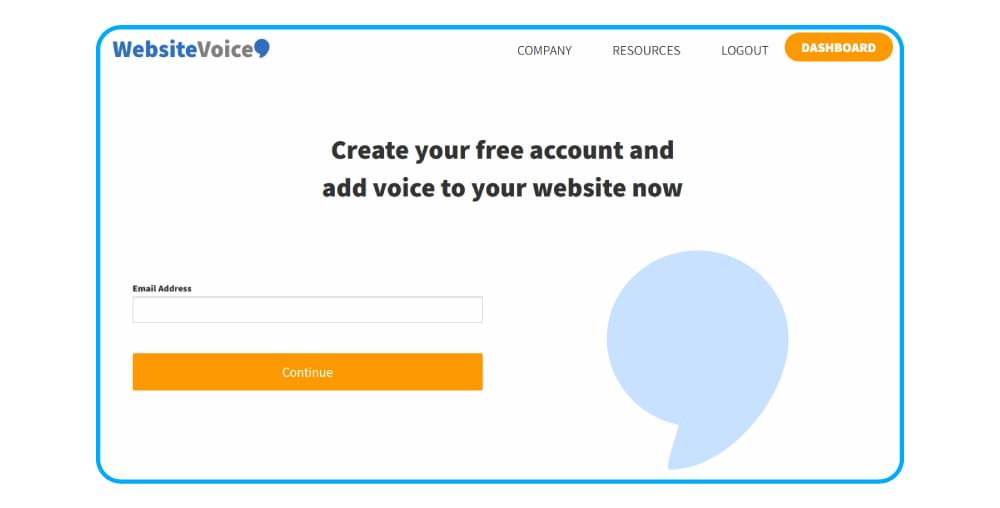
Step 1: Sign Up for a Free Account
Sign up for a 14-day free trial. There is no need for a credit card to start.
Step 2: Configure the Audio Player
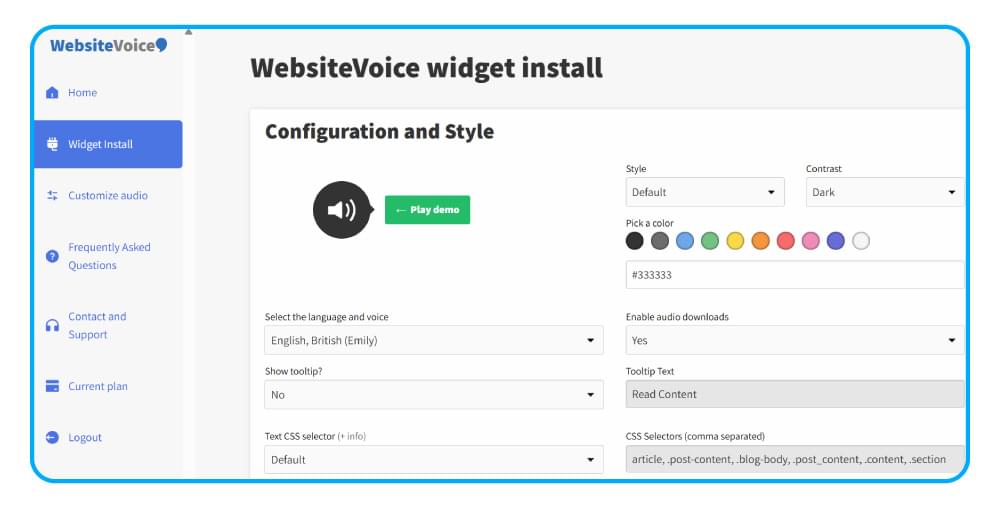
Select one of 60+ AI voices available in 35+ languages. Color-match and customize the player’s position and design to blend in with the rest of your site.
Step 3: Add the Widget to Your Website
Add just a line of code to your website or use the specific WordPress plugin if you have a WordPress site. The play button will be added to your website and users will start playing right away.
At that point, the analytics provided by WebsiteVoice will tell you how many people are listening to the audio, what pages they listen to, and for how long.
Conclusion
ADA compliance and text to speech solve two separate issues, and your website gets advantages from both of them.Compliance keeps you safe from legal issues and makes sure that people using screen readers can access your website.Text to speech technology helps make your website accessible for a much bigger audience of visitors, those who need audio but do not have any assistive technologies at all.
Start with building ADA compliance. Then include the listen button and make your website accessible.
Ready to provide your visitors with the option to listen to your website? Start your free trial and add a play button to your website today.
FAQs
Do I Have to Make My Website ADA Compliant?
If you operate an enterprise that is open to everyone, the ADA is always applicable for your website according to past court decisions. E-commerce businesses, restaurants, service enterprises, healthcare organizations, and any other type of enterprise are at a high risk of litigation, regardless of its size. The standard mentioned by the courts is WCAG 2.1 Level AA.
Is text-to-speech required for ADA compliance?
No, WCAG guidelines do not require websites to have a text-to-speech function on their website. Rather than requiring it, WCAG guidelines say that a website must work with whatever assistive technology the user may bring, like screen readers. TTS is an added convenience for those who do not use screen readers.
What Constitutes an ADA-Compliant Website?
The ADA compliant website is one that satisfies the standards set by WCAG 2.1 at level AA. Such websites must have text alternatives for images, appropriate color contrast, keyboard navigability, logical content structure, captions, and correctly labeled form elements. Compliance exists in your website’s code and this is the reason audits and technical solutions become key.
Can a Text to Speech Widget Reduce My Legal Risk?
No, at least not directly, and depending upon the widget for legal exposure mitigation can be dangerous. Indeed, regulatory authorities have fined vendors of overlays who claimed to offer compliance assurances. To minimize legal exposure, you must modify the coding of your website in order to conform to the WCAG guidelines.



Improve accessibility and drive user engagement with WebsiteVoice text-to-speech tool