voice technology
What is Immersive Reading? A Complete Guide
Consider this scenario: you open a book (or a long-form article), press play on the audiobook, and read along while a narrator voices every word. Your eyes follow the text easily, while your ears catch the rhythm. Suddenly, you’re not skimming the text, but you’re locked in to fully comprehend it.
That’s immersive reading.
Nowadays, a lot of readers on TikTok, Reddit, and book forums are raving about this concept. Many news outlets have also run features on the trend. It is also a direct answer for people who say they “can’t focus on a book anymore.”
So let’s explore what’s actually going on here by exploring what immersive reading is, how it works, and why it helps with focus and comprehension.
What Is Immersive Reading?
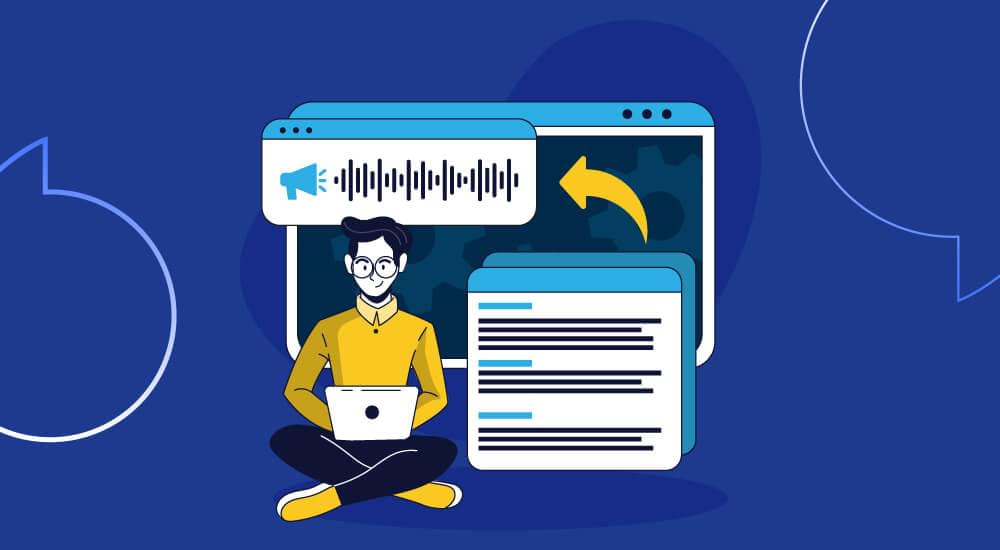
Immersive reading means reading a piece of text while listening to an audio version of it at the same time. You see the words and hear them in sync to fully understand the context and content.
Audible calls its version “Immersion Reading,” while some people also simply call it “read-along,” others just say “reading with audio.” The basic idea is the same, no matter what you call it.
Keep in mind that immersive reading is not the same as selecting between a paperback and an audiobook. It’s about using both of them together. The narration is useful to set the pace, while your eyes can track along with a single word.
This kind of dual input is the whole point of immersive reading. When you read and listen together, you engage two senses, leading to better comprehension. Many readers find that words stick better for them through immersive reading, and the overall experience becomes more absorbing.
How Does Immersive Reading Work?
The working of immersive reading is quite simple. Here’s what exactly happens when you read immersively:
- Text and audio play in sync. The narration moves at a steady pace and matches the words appearing on screen, so you never lose your place.
- The current word/sentence is highlighted. Many immersive reading tools will also light up the text as it’s read aloud. This is a useful feature to keep your eyes anchored to the right spot.
- You set the speed. Most reading-and-listening tools let you slow the voice down or speed it up to match your natural reading speed.
- Two senses do the work of one. Your eyes decode the text while your ears process the sound. It helps your brain understand the content in a much better manner.
That last point is where the magic of immersive reading lives. Generally, reading alone is focused entirely on your visual focus. Once your attention drifts, you’ll be re-reading the same paragraph. Similarly, if you listen to content alone, it can also make it difficult to pay attention, as many listeners tend to zone out and miss whole chapters.
Immersive reading closes the gaps between just reading or listening to the content. The audio listening experience can pull you forward at a consistent pace, while the text will keep you honest about what’s actually being said. Together, immersive reading ensures you don’t drift away and remain focused on the content.
Why Immersive Reading Is Trending
Immersive reading was a niche topic and a feature just a few years ago. However, it has now become a popular talking point.
The reason is that grabbing and maintaining attention has gotten harder. Most of us have become used to reading in short bursts between notifications, and finishing a long article or a full book can feel like a chore. So, immersive reading is a great opportunity for distracted readers to have a way back in, because the narration carries them through the parts where they’d normally bail.
There’s also the multitasking angle in immersive reading that many people love. People want to consume more content in their everyday lives, such as when they are on a commute, while folding laundry, or during a walk. Audio makes that possible. And if you combine that with text, it can stick better than audio alone.
And the tools finally caught up with this trend. AI voices have improved so much that narration no longer sounds robotic or flat. Natural voices make listening pleasant instead of grating. Overall, natural and realistic AI voices have removed the biggest reason people used to avoid text-to-speech.
Related: The Evolution of AI Text-to-Speech: Crafting Human-Like Voices
The Benefits of Immersive Reading
Immersive reading is definitely fun, but the actual reason why people come back to it is its various benefits:
Better Focus and Fewer Distractions
When a voice is reading to you, drifting off the topic is harder. The steady pace gives your mind something to hold onto. At the same time, you’ll be seeing the highlighted text that can catch you the moment you lose the thread. This is great for readers who struggle to sit still with long-form content.
Stronger Comprehension and Retention
Hearing and seeing a word at the same time reinforces it twice and helps you understand it better. Studies on dual-channel learning shows that pairing audio with text can improve how much readers understand and remember. More specifically, it can help in remembering tricky names, unfamiliar terms, and dense passages when you can hear them.
Support for ADHD and Restless Readers
Immersive reading is a turning point for many people with ADHD. The audio provides the external momentum to sustain the focus and help you get the reading done instead of stalling on page ten.
A Lifeline for Dyslexia and Reading Difficulties
Readers with dyslexia find it useful to see a word highlighted as it’s spoken. It takes huge pressure off decoding. The audio will do heavy lifting for such individuals to understand and read the word, while the eyes follow along. It also builds confidence and word recognition over time. Learn more in our guide to text to speech for dyslexia.
Also Read: How Text-to-Speech Helps People with Dyslexia and Reading Disabilities
Real Multitasking
Immersive reading supports multitasking as you can lean into both senses while you’re settled in a chair, or let the audio lead while your eyes drop in and out during a commute. Either way, you’ll be able to consume more content that you would otherwise ignore or stop reading.
Accessibility for Everyone
The role of immersive reading in making the content accessible and easy to understand for everyone cannot be ignored. Vision impairments, fatigue, and a long day of staring at screens are some of the many reasons why reading alone can be difficult for a lot of people. However, by adding audio to the same content, more people are likely to consume the content.
The following table provides a quick look at who immersive reading tends to help most, and why:
| Reader Type | What They Struggle With | How Immersive Reading Helps |
|---|---|---|
| Distracted readers | Losing focus, re-reading lines | Audio sets the pace and keeps them interested |
| People with ADHD | Sustaining attention | External momentum makes finishing possible |
| Readers with dyslexia | Decoding written words | Highlighting the spoken text makes it easy to read |
| Language learners | Pronunciation and flow | Hearing words builds correct pronunciation |
| Busy multitaskers | Finding time to read | Audio fits into commutes and different chores |
| Visually impaired readers | Reading by sight | Narration makes content accessible |
How to Try Immersive Reading
Here are a few options for you to try out immersive reading yourself:
Books and e-books:
- Use an audiobook app with read-along. Some audiobook platforms pair the audio with the matching e-book text and highlight words as they’re spoken. This is the classic immersive reading setup.
- Pair a separate audiobook and e-book. If your app doesn’t sync them, you can play an audiobook and follow along in the e-book yourself. It takes a little manual matching, but it works.
- Try your library app. Many free library apps offer both the audiobook and e-book for the same title, so you can read along without paying for two formats.
Articles, blogs, and web content:
Books aren’t the only thing worth reading immersively. Nowadays, we read a lot of content online, including long-form articles, website content, blog posts, and much more. This is where text-to-speech tools like WebsiteVoice play an integral role in adding a play button widget to the site.
With a text-to-speech reader, you can have web pages and articles narrated aloud while you read along on screen. It’s a perfect solution for immersive reading for the internet, not just the bookshelf.
Immersive Reading for Websites and Blogs
This is where the trend gets practical for everyday content, as most of the content is online nowadays.
A common misconception is that when people talk about immersive reading, it only means books. But the reality is that the same listen-along experience of immersive reading can work beautifully for articles and blog posts. There’s a significant gap for websites to fill here.
Moreover, if you have a website or blog where readers would love to listen, but they are stuck with plain text, you can lose out on a significant audience.
That’s the problem WebsiteVoice solves. It’s a text-to-speech widget that adds a play button to any website. With WebsiteVoice installed on your site, you can turn your written content into natural-sounding audio that visitors can listen to while they read along.
A few things make WebsiteVoice a good fit for immersive reading, specifically:
- 60+ natural AI voices that sound human, not robotic, so listening is actually enjoyable.
- 35+ languages and accents, which makes your content immersive for a global audience.
- Speed control, so each reader can match the narration to their own pace.
- MP3 downloads, letting visitors take the audio with them for commutes or workouts.
The bottom line is that immersive reading does not have to stop at novels. Any blog, news site, or content-heavy page can offer it to give a memorable experience to the target audience.
How to Add Immersive Reading to Websites?
If you run a website, you should consider immersive reading to be an essential part of your site and not just a perk.
It’s important to think about how people behave online when it comes to long-form content. They skim. They bounce. With quick AI answers, getting someone to read a long article all the way through is genuinely hard. Therefore, audio gives them another way in, and that tends to show up in your numbers.
When visitors can listen to your website’s content while reading, a few things happen:
- They will stay on the web page longer instead of bouncing after the initial scroll.
- They are likely to engage with your content during moments when reading alone wasn’t an option.
- Your site becomes more accessible to people with disabilities and reading difficulties.
The best part is that adding immersive reading to websites is easier than you would expect. WebsiteVoice works with all major platforms and CMS, including WordPress, Shopify, Wix, Squarespace, Blogger, Joomla, Webflow, Drupal, Ghost, and custom HTML sites.
All you have to do is add a snippet of code or install the plugin. You also get different options to customize the player to match your brand, and the play button shows up on your content.
There’s also a 14-day free trial with no credit card required, so you can see how your audience responds before committing to anything.

Conclusion
Immersive reading has become popular for a simple reason: it works. Reading and listening together is highly helpful for people to focus, understand more, and actually finish what they start. Moreover, readers with ADHD, dyslexia, or just a short attention span benefit from immersive reading by turning it from a chore to an enjoyable experience.
It is also important to note that an immersive reading experience is not limited to books. With the right tool, any article or blog post can be read immersively. This is a great opportunity for website owners to give their readers a chance at a better reading experience and keep them engaged longer.
If you want to bring immersive reading to your own content, try WebsiteVoice free for 14 days and add a listen-along play button to your site in minutes.
FAQs
Does Immersive Reading Improve Comprehension?
Yes, immersive reading improves comprehension for most people. This happens because reading text while hearing it narrated engages two senses at once. It reinforces the material and improves how much you understand and remember. This technique is especially useful with dense or unfamiliar content.
Is Immersive Reading Good for People with ADHD?
Yes, a lot of readers with ADHD find immersive reading to be a big difference in their comprehension of the content. The audio provides steady forward momentum, which helps sustain attention through passages where focus would normally break. It’s one of the most common reasons people pick up the habit.
Is Immersive Reading the Same as Microsoft Immersive Reader?
Not quite. Microsoft Immersive Reader is a specific accessibility feature in Microsoft products that can read text aloud. On the other hand, immersive reading is the broader practice of reading and listening at the same time that can be done with many different tools.
What Tools Do I Need to Read Immersively?
You’ll want an audiobook app that syncs with the e-book text to immersively read a book, or a separate audiobook and e-book you follow along with. For websites and online content, you’ll need a text-to-speech reader like WebsiteVoice lets you listen to articles and blogs while reading them on screen.
Can I Add Immersive Reading to My Website?
Yes. You can easily add immersive reading to your website with a text-to-speech tool like WebsiteVoice that allows you to add a play button to your pages. It lets visitors listen to your content while they read along. WebsiteVoice works on most major platforms and takes only a few minutes to set up.



Improve accessibility and drive user engagement with WebsiteVoice text-to-speech tool