text to speech tutorials
Trinity Audio vs WebsiteVoice: Which Text-to-Speech Player Fits Your Website? (2026)
Trinity Audio and WebsiteVoice both put a play button on your articles so visitors can listen instead of read. They look similar on the page, but they are built for different kinds of sites and they charge you in very different ways.
This comparison covers the things that actually decide the choice: how each one installs, what the voices sound like, how the pricing works once your traffic grows, what the WordPress plugins can and cannot do, and which one makes sense for a blog, a niche publication, or a newsroom.
Everything below was checked against each vendor’s own website, pricing page and WordPress.org listing in September 2026. Prices and limits change, so treat the numbers as a snapshot and confirm on the vendor’s page before you buy.
The Short Answer
- Choose WebsiteVoice if you run a blog, a small or regional publication, a church or nonprofit site, or a business blog, and you want a flat monthly price, a five-minute setup, and no ads in your player.
- Choose Trinity Audio if you are a mid-size or large publisher that wants to sell audio ads inside the player, needs 100+ languages, or wants extras like an AI podcast pipeline and a homepage playlist widget.
- If you publish more than a handful of articles a week and do not want to think about credits, WebsiteVoice’s per-play model is easier to budget. If you publish a few articles a month and want a free tier to start, Trinity Audio’s free plan is the lowest-cost way in.
Overview of Trinity Audio and WebsiteVoice
WebsiteVoice
WebsiteVoice is a text-to-speech widget for bloggers and online publishers. You add one line of script (or install the WordPress plugin), and a play button appears on every article. The widget detects the article text automatically, converts it to an MP3 on WebsiteVoice’s servers, and streams it to the visitor.
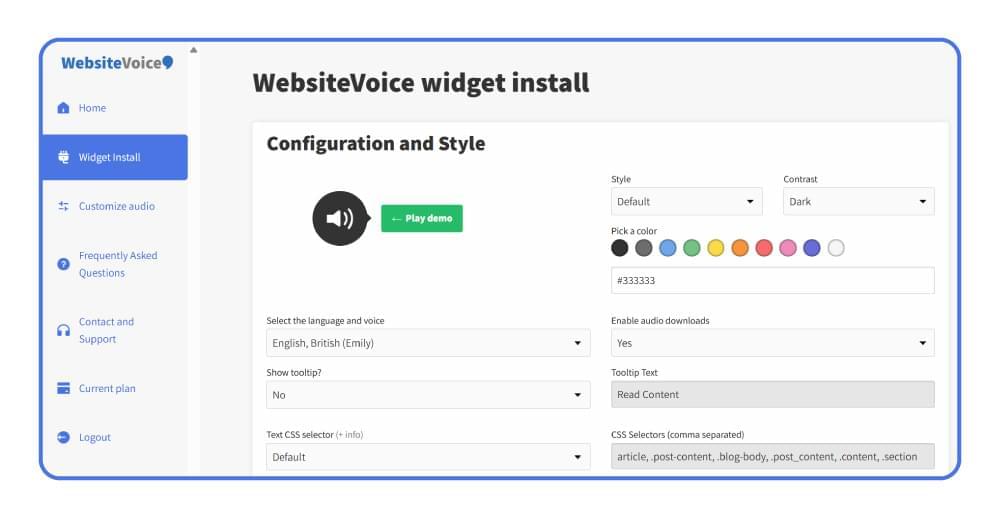
Because the audio is generated server-side, every visitor hears the same voice regardless of browser or device. The dashboard shows daily plays and lets you customize the player’s colour, style and voice. Plans start at $9 per month and every plan comes with a 14-day free trial, no credit card required.
Trinity Audio
Trinity Audio describes itself as “the leading AI audio platform for digital publishers”. Its customers include Fortune, Harvard Business Review, Rolling Stone and Variety. The core product is the same idea, an audio player that converts articles on page load, but the platform is built around monetization: sponsored intros, native audio ads inside the player, subscription-locked audio, and an automated podcast pipeline that turns articles into distributed episodes.
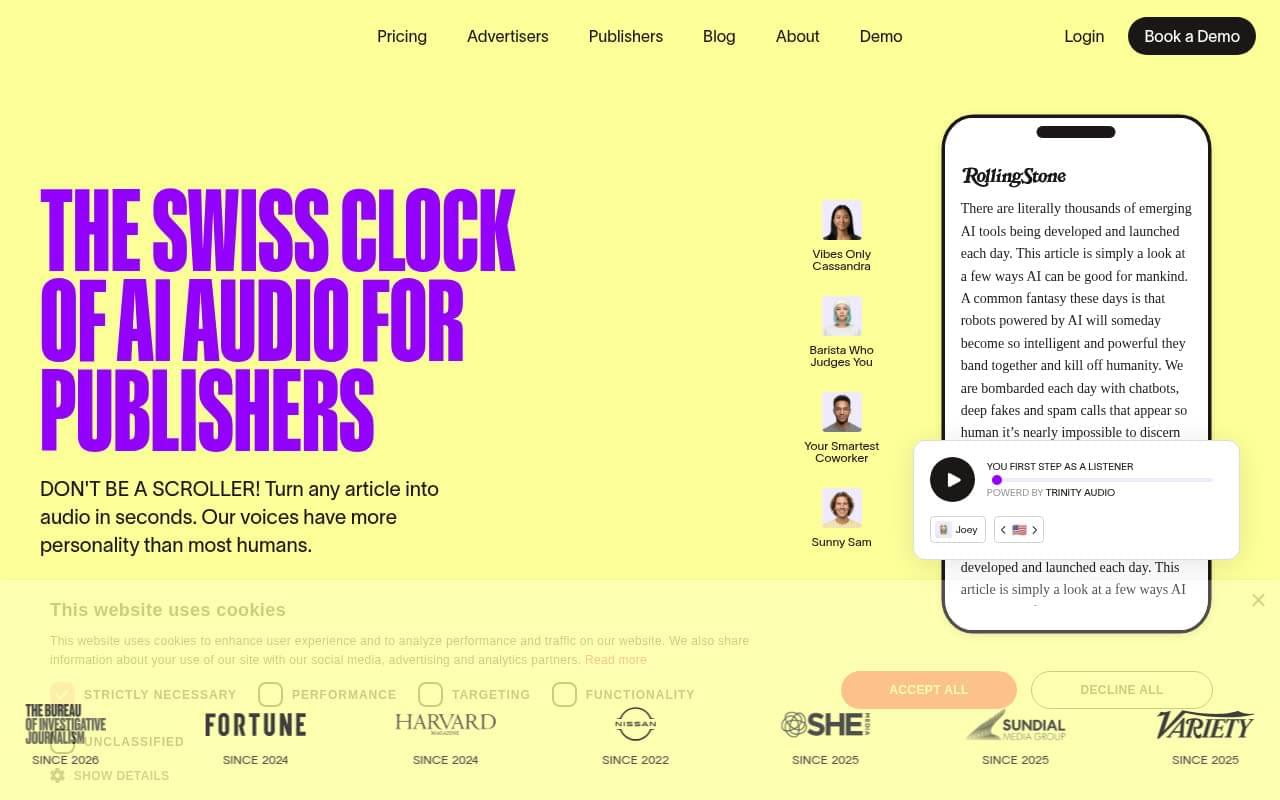
Trinity Audio has a free plan (5 articles per month on one domain), a self-serve Creator plan sold in article bundles, and two sales-led plans, Publisher and Brand, for large publishers.
Feature-by-Feature Comparison
1. Setup and Installation
WebsiteVoice installs with one script tag placed before the closing </body> tag. There is a WordPress plugin where you paste your token, plus step-by-step guides for Wix, Squarespace, Shopify, Blogger, Joomla, Webflow, Drupal and Ghost. Content detection is automatic, with a manual CSS selector fallback and a wv-ignore class for elements you want skipped. One limitation: WordPress.com hosted sites cannot run the widget, because WordPress.com does not allow custom scripts on its lower plans.
Trinity Audio installs through a JavaScript snippet or a CMS plugin (WordPress and Ghost). The WordPress plugin can auto-enable the player on new posts and lets you set placement, label text, theme and the voice per site or per post. It currently supports posts only; for pages and custom post types you have to use the JavaScript integration instead. API access is reserved for the Publisher and Brand plans.
Verdict: both are quick to install. WebsiteVoice covers more no-code platforms out of the box; Trinity Audio’s WordPress plugin has more settings but is limited to posts.
2. Voices and Languages
WebsiteVoice supports 38+ languages and accents with male and female voices, including English US, UK, Australian and Indian variants. Our Australian accent generator guide shows how that works on a site. Voices are server-generated MP3s, so playback is consistent everywhere.
Trinity Audio lists 125 languages and 600+ voices on WordPress.org (the pricing page says 150+), with “personality-driven” named voices, voice styles, real-time translation into 6 languages, and generative voice cloning on the higher plans. Some languages are only available on paid plans.
Verdict: Trinity Audio has the wider catalogue. If you publish in a language outside WebsiteVoice’s 38, this decides it. For English and the major European, Asian and Middle Eastern languages, both are covered.
3. Pricing Model
This is where the two products differ most.
WebsiteVoice charges per new audio play per day. One play equals 1,000 words of new text, and replays of an article that has already been converted are unlimited. Plans:
- Starter, $9/month: 1 new play per day, 38 languages, widget customization, audio analytics, social sharing. The player carries an “Audio by websitevoice.com” credit.
- Premium, $29/month (or $309/year): 5 new plays per day, watermark removed, additional voices, no audio or text ads, ticket support.
- Professional, $49/month (or $529/year): 10 new plays per day, priority support, faster conversion, custom text at the start and end of the audio, MP3 downloads, voice speed control.
Every plan starts with a 14-day free trial, and one account covers one website.
Trinity Audio charges per article, using credits. One credit converts one article; if you edit the article, it costs a new credit. Plans:
- Free: 5 credits per month on one domain. When credits run out, existing audio keeps working but new articles do not get a player.
- Creator (self-serve): priced by monthly article volume. At the time of writing: 5 articles for $6.50/month, 10 for $10.50, 20 for $16, 50 for $30, 100 for $56, 200 for $88, and 1,000 for $299. Annual billing is roughly ten months’ price.
- Publisher and Brand: contact sales. Publisher adds audio ad revenue, subscription-locked players, AI summaries and voice cloning; Brand adds unlimited articles.
Verdict: for a site that publishes 20 to 50 articles a month, Trinity’s Creator plan and WebsiteVoice’s Premium plan land in the same price range. Below that, Trinity’s free tier and cheapest bundles are the lower entry cost. Above that, WebsiteVoice’s flat monthly price is simpler to budget, because you are not counting articles or paying again for edits.
4. Player Features
| Feature | WebsiteVoice | Trinity Audio |
|---|---|---|
| Automatic content detection | Yes, plus CSS selector fallback | Yes (headline + body, with exclusions) |
| Player customization | Colour, style, size, position | Placement, label, light/dark theme, floating FAB |
| Playback speed | Professional plan (80% to 170%) | All plans (publisher sets default) |
| MP3 download | Professional plan | All plans |
| Social sharing | All plans | All plans |
| Custom intro/outro | Professional plan (custom text) | Text label above player only |
| Ads in your player | None on Premium and above | Optional revenue on Publisher plan |
| Podcast distribution | No | Yes (higher plans) |
| Homepage playlist widget | No | Yes |
| Analytics | Daily plays, real-time reports in dashboard | Dashboard statistics and usability reports |
WebsiteVoice keeps the player deliberately simple: a play button, progress bar, share button, and speed control on the top plan. Trinity Audio’s player does more, and the extras (playlist widget, podcast pipeline, AI summaries) are genuinely useful for a newsroom that treats audio as a product line. For a blog, most of them go unused.
5. Analytics
Both tools show you how many people press play.
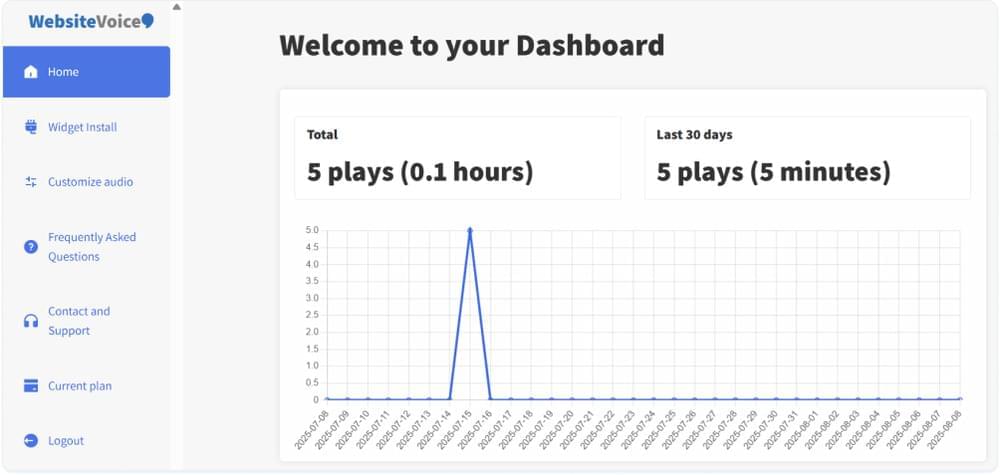
WebsiteVoice’s dashboard reports total and daily plays with real-time updates, so you can see which posts get listened to and how the widget performs after a change.
Trinity Audio’s dashboard offers “statistics and usability reports” on every plan, including the free one. Neither vendor documents a full listening-completion funnel on their public pages, so if you need that depth, ask for a demo before committing.
6. Monetization
If you want to earn money from the audio itself, only Trinity Audio offers it, and only on the Publisher plan: sponsored intros, in-player audio ads with a reported 90% completion rate, and subscription-locked audio. This is Trinity’s core business model and the main reason large publishers choose it.
WebsiteVoice has no ad network. That is a feature for most blogs: from the Premium plan up, nobody else’s ads play in your reader’s ears. The FAQ notes that ads may appear on the free trial or the cheapest plan, which is worth knowing if you plan to stay on Starter.
7. WordPress Plugin Health
Both plugins are actively maintained, which matters more than it sounds. Abandoned TTS plugins are common on WordPress.org.
| Plugin | Version | Active installs | Last updated | Rating | Scope |
|---|---|---|---|---|---|
| WebsiteVoice | 1.14.0 | 300 | Aug 2026 | 6 ratings | Posts, pages, any page type |
| Trinity Audio | 5.27.1 | 2,000 | Sep 2026 | 25 ratings | Posts only |
Trinity’s plugin has the larger install base and more frequent releases. WebsiteVoice’s plugin is a thin wrapper around the script, so it works on every page type and rarely needs updates.
Who Should Choose Which
Pick WebsiteVoice if:
- You run a blog, a regional news site, a faith or community publication, or a company blog with a steady stream of articles.
- You want one flat price and no credit maths.
- You do not want third-party ads in your player.
- Your site is on Wix, Squarespace, Blogger, Shopify or another no-code platform and you want a guide for it.
Pick Trinity Audio if:
- You are a mid-size or large publisher with a revenue team and you want audio ads.
- You publish in a language WebsiteVoice does not cover.
- You want the podcast pipeline, playlist widget or AI summaries.
- You publish only a few articles a month and want to start on a free plan.
How to Add WebsiteVoice to Your Site
If you have decided on WebsiteVoice, setup takes four steps and about five minutes.
Step 1: Create an Account
Sign up for the 14-day free trial. No credit card is required.
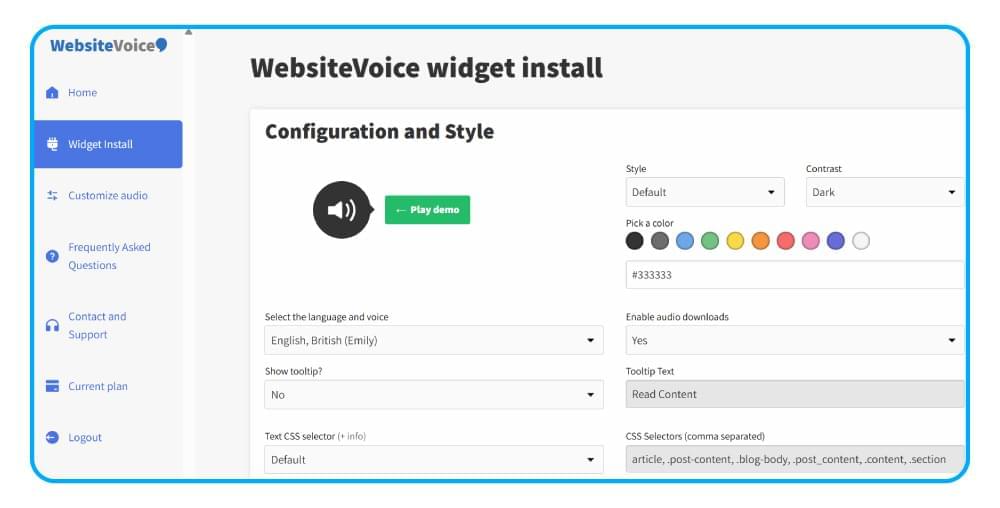
Step 2: Customize the Widget
In the Widget section of the dashboard, choose the player colour and style, then pick the language, accent and voice. You can listen to a sample of each voice before saving.
Step 3: Install the Code
Copy the snippet from the Installation section and paste it before the </body> tag of your site, or paste your token into the WordPress plugin. If you use a page builder or a hosted platform, follow the matching guide in the WebsiteVoice setup tutorial.
Step 4: Authorize Your Domain
Add your website domain under Update Website in the dashboard. The play button appears on your articles, and plays start showing in the analytics tab.
Conclusion
Trinity Audio and WebsiteVoice solve the same problem for different customers. Trinity Audio is a publisher platform with monetization at its centre, and it earns its place at large newsrooms that want audio as a revenue line. WebsiteVoice is a listen button for bloggers and smaller publishers: flat pricing, quick setup on any platform, no ads in the player, and analytics that tell you what people actually listen to.
If that second description sounds like your site, start the free 14-day WebsiteVoice trial and have a play button on your articles today.
FAQs About Trinity Audio and WebsiteVoice
Is Trinity Audio Free?
Trinity Audio has a free plan with 5 article credits per month on one domain. Once the credits are used, existing audio keeps playing but new articles do not get a player until the next month or an upgrade.
Is WebsiteVoice Free?
WebsiteVoice offers a 14-day free trial on every plan with no credit card. After the trial, plans start at $9 per month.
Which One Sounds Better?
Both use neural AI voices. Trinity Audio offers far more voices and languages, including named “personality” voices. WebsiteVoice offers 38+ languages with male and female options. Listen to samples on both dashboards before choosing; voice preference is personal.
Can I Switch from Trinity Audio to WebsiteVoice?
Yes. Remove the Trinity plugin or snippet, install the WebsiteVoice snippet or plugin, and authorize your domain. WebsiteVoice converts articles when they are first played, so there is no migration of existing audio to worry about.
Do Either of Them Add Schema Markup for Audio?
Neither vendor documents automatic AudioObject schema. If audio SEO markup matters to you, plan to add it yourself.
Related Reading
11 Best Text To Speech Online Software



Improve accessibility and drive user engagement with WebsiteVoice text-to-speech tool