accessibility
Instagram Audio Download: A Comprehensive Guide
Many people enjoy Instagram’s engaging and creative content. Oftentimes, users are drawn to popular music or trending audio featured in Instagram posts. If you’ve ever wondered how to download Instagram audio or convert it to MP3 for personal use, you’ve come to the right place.
This guide will teach you quick and easy methods to save Instagram audio using reliable tools and provide helpful tips for making the most of your downloads.
What You’ll Learn in This Guide
- How to download Instagram audio using simple tools.
- How to convert Instagram audio to MP3.
- Pro tips for working with Instagram downloader tools.
- Bonus: How to turn blogs into audio with WebsiteVoice.
Quick Ways to Download Instagram Audio
If you’ve ever asked, “Can I save audio from Instagram?” the answer is yes! With the right tools, you can save Instagram audio quickly and efficiently.
For Mobile Users (Android and iOS):
- Visit the Instagram post with your desired audio.
- Tap Copy Link from the menu options.
- Open your preferred Instagram audio downloader tool.
- Paste the URL into the designated downloader field.
- Click the button to initiate the download and select the MP3 save option.
- Save the audio file locally for easy listening later.
For Desktop Users (Windows and Mac):
- Access Instagram via your browser.
- Navigate to the post with the audio you’d like to save.
- Copy the link from the options menu.
- Open a reliable Instagram downloader tool.
- Paste the link in the tool’s input box, select the audio MP3 option, and save.
- The audio file will download to your computer’s music folder.

Top Tools for Instagram Audio Downloads
Here are some of the best tools to save Instagram audio:
4K Video Downloader
- Ideal for high-quality Instagram audio downloads.
- User-friendly interface with customizable download options.
SaveFrom.net
- A simple solution for downloading Instagram audio.
- Works seamlessly on both desktop and mobile devices.
InstaFinsta
- Perfect for Android and iOS users.
- Fast and efficient, no registration required.
Toolzu
- Great for downloading Instagram audios and videos in bulk.
- Converts Instagram URLs into MP3 files effortlessly.
SnapInsta
- Best for downloading audio from Instagram reels and stories.
- Ensures high-quality downloads in seconds.
Top Niche Uses for Downloaded Instagram Audio
Saving Instagram audio unlocks creative opportunities. Here’s how you can use it:
- Podcasts: Include catchy IG audio clips for intros or transitions.
- Business Presentations: Add impactful audio snippets for product demos or marketing pitches.
- Personalized Ringtones: Turn downloaded audio into unique ringtones.
- Educational Content: Incorporate inspiring soundbites in e-learning materials.
Pro Tips for Audio Enthusiasts
- Organize Files: Store downloaded audio in properly labeled folders.
- Edit Clips: Use apps like Audacity to trim or merge audio segments.
- Check Copyright Rules: Only download audio for personal use unless you have explicit rights.
New Ways to Use Downloaded Audio
Downloaded Instagram audio isn’t limited to just listening! Repurpose it creatively:
- Add to Videos: Enhance personal projects with dynamic audio.
- Mix Tracks: Combine multiple audio snippets to create new soundscapes.
- Share Sounds: Send Instagram audio to friends via messaging apps.
- Offline Access: Enjoy audio clips during long commutes or offline trips.
Bonus: Give Your Own Blog a Listen Button with WebsiteVoice
If you create content on Instagram, there is a good chance you also run a blog or website. Many of your followers would rather listen to a post than read it, the same way they consume Reels audio.
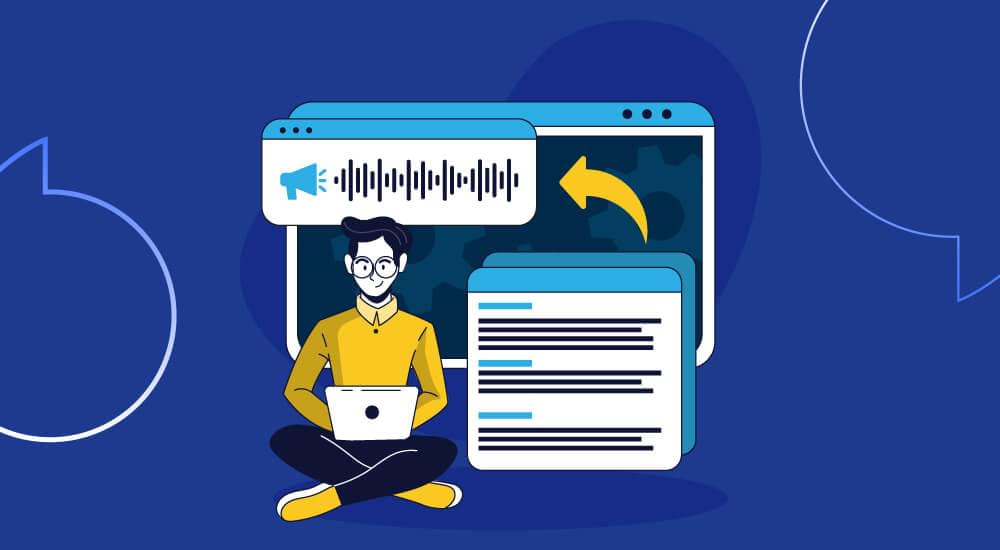
WebsiteVoice adds a text-to-speech player to your site, so every article gets a natural-sounding audio version automatically.
- Accessibility: visitors with low vision or reading difficulties can listen instead of reading.
- Hands-free listening: readers can play your posts while driving, working out or doing chores.
- MP3 downloads: readers can save the audio of a post and listen offline.
- Your style: choose the voice and speed, and customize the player button to match your site.
How to add WebsiteVoice to your site
- Create a free account and enter your website address.
- Customize the listen button.
- Copy one line of script into your site, or use the WordPress plugin.
Every plan starts with a 14-day free trial, so you can try it on your real posts first.
Conclusion
From learning how to download Instagram audio to leveraging tools like WebsiteVoice, the possibilities for creating and enjoying audio are endless. Whether it’s IGTV clips, reels, or blog posts, these methods will help you build your personalized audio library.
Take action today—save your favorite sounds, explore new tools, and transform content into audio for greater convenience and creativity.
FAQs About Instagram Audio Downloads
Q: Can you download audio from Instagram reels?
A: Yes, you can save and download sounds from Instagram reels using tools like SaveFrom.net or InstaFinsta.
Q: Is it legal to download Instagram audio?
A: Downloading for personal use is generally allowed, but always check copyright laws if you plan to reuse the audio.
Q: Can I download Instagram audio directly to my iPhone?
A: Yes! Use a browser-based downloader tool, and you’ll be able to save Instagram audio directly to your iPhone.
Q: What’s the best tool for high-quality Instagram audio downloads?
A: 4K Video Downloader is an excellent choice for high-quality downloads with easy customization options.


Improve accessibility and drive user engagement with WebsiteVoice text-to-speech tool